
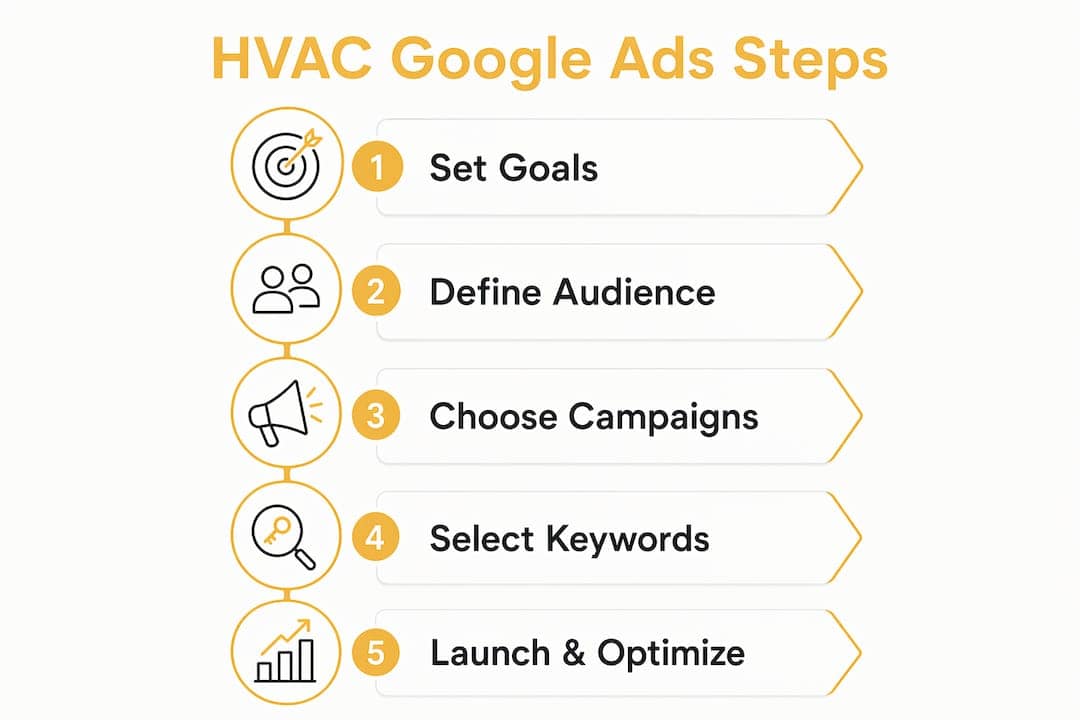
The fastest route to profitable HVAC leads is a local-first Google Ads stack that prioritizes Google Local Services Ads plus segmented Search campaigns and job-level tracking. Start here: enable LSAs if you’re eligible, launch a single emergency Search campaign with a click-to-call landing page, and connect call tracking through GA4 before you spend another dollar.
Your three-item launch checklist:
- Enable LSAs. Get Google Guaranteed and start capturing pay-per-lead calls at the top of search results.
- Launch an emergency Search campaign. Target high-intent repair keywords with a dedicated landing page and a prominent call button.
- Set up call tracking. Link GA4 to Google Ads and set a minimum call duration (60 seconds works well) to count only real conversations as conversions.
Everything else in this guide builds on those three steps. If you’re already running ads but not seeing profitable returns, the fix is almost always campaign segmentation, better negative keywords, or missing offline conversion data.
Table of Contents
- How should you structure HVAC Google Ads campaigns?
- LSAs vs. Search ads: which should you prioritize?
- What keywords actually work for HVAC Google Ads?
- How do you write HVAC ad copy that gets calls?
- How do you set up local targeting for HVAC ads?
- What budget and bidding strategy should HVAC companies use?
- What makes a landing page convert HVAC ad traffic?
- How do you track HVAC Google Ads conversions properly?
- How do you keep improving HVAC Google Ads over time?
- Your 30/60/90-day HVAC Google Ads launch plan
- What results can HVAC companies see? A Colorado case study
- Key Takeaways
- Why the local-first, intent-segmented approach is the only one that works
- Denvercountywebdesign builds the Google Ads foundation HVAC contractors need
- Useful sources and tools
How should you structure HVAC Google Ads campaigns?
The single biggest driver of wasted spend in HVAC accounts is mixing different buyer intents inside one campaign. Someone searching “AC not turning on” and someone searching “new HVAC system cost” are at completely different points in the buying process. They need different bids, different ad copy, and different landing pages.
A clean account architecture looks like this:
- Google Local Services Ads (LSAs) — top of the funnel, pay-per-lead, captures highest-intent callers
- Branded Search — protect your name, lowest CPL, highest close rate
- Emergency Repair — urgent keywords, highest CPC, fastest conversion window
- System Replacement / Installation — longer consideration cycle, higher job value
- Maintenance / Tune-Up — lower urgency, lower CPC, good for recurring revenue
- Brand Protection — bid on manufacturer terms (Carrier, Trane, Lennox) when homeowners research replacements
Naming conventions and budget splits
Use a consistent naming format so anyone managing the account knows exactly what they’re looking at. A reliable convention: [Market] | [Service Line] | [Match Type]. For example: Denver | Emergency Repair | Exact or Denver | AC Replacement | Phrase.
Budget splits will shift as your account matures, but a practical starting point for a growth-stage account:
- Emergency Repair: a significant portion of the Search budget
- System Replacement: a sizeable share
- Maintenance: a moderate share
- Branded: a smaller share
Pre-launch hygiene checklist
Before any campaign goes live, confirm these are in place:
- Conversion tracking verified (calls, forms, and offline imports)
- Negative keyword seed list uploaded (at minimum: DIY, jobs, training, parts, wholesale, certification, how to)
- Location targeting set to “Presence” only, not “Presence or interest”
- Ad scheduling aligned with your actual service hours
- Google Business Profile linked and verified
Pro Tip: Set up separate conversion actions for each campaign type — one for emergency calls, one for replacement form fills, one for maintenance bookings. When Smart Bidding sees distinct conversion signals, it can optimize bids toward the job value that actually matters for each service line.

LSAs vs. Search ads: which should you prioritize?

Google Local Services Ads sit above everything else on the search results page, including traditional paid ads and organic listings. They carry the “Google Guaranteed” badge, which matters to homeowners who are about to let a stranger into their house. The billing model is pay-per-lead rather than pay-per-click, meaning you’re charged only when a homeowner contacts you through the ad.
LSA benchmarks from SearchLight Digital indicate an average CPL of $51, a book rate of 43.9%, and a closed ROAS of 9.55x across hundreds of contractors. Those numbers are hard to match with standard Search campaigns alone.
How LSAs and Search campaigns compare
| Factor | Google Local Services Ads | Search Ads |
|---|---|---|
| Placement | Above all paid and organic results | Below LSAs, above organic |
| Billing model | Pay per lead | Pay per click |
| Avg. | ||
| CPL (HVAC) | $51 | $104 blended (branded $34, non-branded $149) | Book rate | 43.9% | Varies by campaign | Control | Limited (profile-based) | Full keyword and copy control | Best for | Emergency calls, broad lead volume | Replacement, maintenance, branded |
Recommended budget splits by account stage
- New account (months 1–3): 60% LSA / 40% Search. LSAs generate leads faster while Search campaigns gather conversion data.
- Mature account (months 4+): 40% LSA / 60% Search. Once Search campaigns have enough conversion history, scale replacement and maintenance campaigns.
Getting set up on LSAs
The onboarding process takes 2–4 weeks and includes background checks, license verification, and insurance documentation. Don’t wait until you need leads to start this process. While verification is pending, launch your emergency Search campaign so you’re not dark.
Actions that improve LSA performance once you’re live:
- Respond to every lead within 5 minutes — speed-to-lead is a direct ranking signal.
- Request reviews from every completed job and link your Google Business Profile.
- Add a short video to your LSA profile; it increases profile completeness and visibility.
- Mark irrelevant leads as disputed to avoid paying for them and to improve lead quality over time.
Run LSAs and Search together. LSAs capture immediate callers; Search scales your replacement and maintenance pipeline.
What keywords actually work for HVAC Google Ads?
Keywords are where most HVAC campaigns bleed money. The fix isn’t finding more keywords — it’s targeting the right ones and aggressively blocking the wrong ones.
Keyword buckets by service line
| Service Line | Sample Keywords | Match Type |
|---|---|---|
| Emergency Repair | “AC not working,” “furnace broke,” “emergency HVAC repair near me” | Exact, Phrase |
| System Replacement | “new AC unit cost,” “HVAC system replacement,” “heat pump installation” | Phrase, Exact |
| Maintenance | “AC tune-up,” “HVAC maintenance plan,” “furnace checkup” | Phrase, Exact |
| Branded | “[Your company name],” “[Your company] reviews” | Exact |
| Manufacturer | “Carrier AC repair,” “Trane furnace service,” “Lennox installation” | Phrase |
Use exact and phrase match for high-intent service keywords. Broad match can work for discovery, but only after your negative keyword list is well-developed and you’re reviewing search terms weekly. Performance Max is worth testing for replacement campaigns once you have 30+ conversions per month, but don’t rely on it early — you lose visibility into what’s actually spending.
Negative keyword framework
A robust negative keyword list for HVAC accounts typically contains 500–700 terms. Seed categories to build first:
- DIY and informational: “how to,” “DIY,” “fix myself,” “YouTube,” “tutorial”
- Job seekers: “jobs,” “hiring,” “career,” “salary,” “apprenticeship”
- Parts and wholesale: “parts,” “wholesale,” “supplier,” “distributor,” “OEM”
- Training and certification: “certification,” “HVAC school,” “training,” “license exam”
- Unrelated services: “auto AC,” “car AC,” “refrigerator repair”
Pro Tip: Pull your search terms report every Monday and add irrelevant queries to your negative list before they accumulate spend. Also review actual call recordings — callers who mention DIY repairs or ask about parts are a signal that a new negative keyword category needs to be added.
How do you write HVAC ad copy that gets calls?
Generic ad copy kills conversion rates. “Trusted HVAC Company — Call Today” tells a homeowner nothing they can act on. The ads that generate calls lead with speed, availability, and a specific trust signal.
Emergency repair ad formula
- Headline 1: AC Out? Same-Day Repair in [City]
- Headline 2: 24/7 Emergency Service — Call Now
- Headline 3: Licensed & Insured — 90-Min Response
- Description: Don’t sweat it out. Our certified techs arrive fast and fix it right the first time. Financing available. Call for a free diagnostic.
System replacement ad formula
- Headline 1: New AC System From $89/Mo
- Headline 2: Free In-Home Estimate — [City]
- Headline 3: Carrier, Trane & Lennox Installed
- Description: Old system costing you more each month? We’ll assess your home and recommend the right system. 10-year parts warranty. Schedule today.
Leading with a monthly financing payment rather than the total system price shifts the psychology away from sticker shock and materially increases close rates on replacement jobs.
Extensions that move mobile callers
- Call extensions — show your phone number directly in the ad; set to show only during business hours (or 24/7 for emergency campaigns).
- Location extensions — link your Google Business Profile to display your address and distance.
- Price extensions — show service starting prices (e.g., “AC Tune-Up from $79”) to filter price shoppers before they click.
- Structured snippets — list services: “AC Repair, Furnace Repair, Heat Pump, Duct Cleaning.”
- Lead form extensions — useful for replacement campaigns where homeowners want a quote without calling.
Pro Tip: Include the city or neighborhood name in at least one headline. “AC Repair in Lakewood” outperforms “AC Repair Near Me” for Quality Score and relevance because Google can match the ad to the searcher’s location signal.
A/B test one variable at a time. Good starting tests: time promise headline vs. financing-first headline; short form vs. click-to-call only. Run each test for at least 200 clicks or 4 weeks before drawing conclusions.
How do you set up local targeting for HVAC ads?
Geo-targeting is one of the fastest ways to stop wasting money. An HVAC company that serves a 25-mile radius around Denver doesn’t need to show ads to searchers in Colorado Springs or Fort Collins.
Step-by-step geo setup
- Set location targeting to “Presence: People in or regularly in your targeted locations” — never “Presence or interest,” which includes people who are merely researching your area.
- Define your primary service area by ZIP code or county rather than a single radius. This lets you apply bid adjustments by zone.
- Apply positive bid adjustments (+15–25%) for your highest-density ZIP codes where technician drive time is short.
- Apply negative bid adjustments (–20–50%) or full exclusions for areas outside your service boundary.
- Exclude specific locations: competitor-heavy industrial zones, areas with long drive times, and counties you don’t service.
Ad scheduling by campaign type
- Emergency Repair: run 24/7 with bid increases (+20–30%) from 6 PM to 10 PM and on weekends, when emergency calls spike and competitor budgets often run out.
- Replacement / Installation: run during business hours (7 AM–7 PM), with a slight bid reduction on Sundays.
- Maintenance: run Monday through Friday, 8 AM–6 PM. These are planned purchases; weekend urgency doesn’t apply.
Quick verification checklist before launch:
- Location extensions are linked to your Google Business Profile
- “Presence only” targeting is confirmed in campaign settings
- Bid adjustments are applied at the ZIP or county level, not just the campaign level
- Ad scheduling matches your actual service availability
What budget and bidding strategy should HVAC companies use?
The right bidding strategy depends on how much conversion data your account has. Smart Bidding needs at least 30–50 conversions per month to optimize reliably. Below that threshold, manual CPC or Maximize Clicks with a CPC cap is safer.
Bidding strategy by account stage
- New account (0–30 conversions/month): Manual CPC or Maximize Clicks with a max CPC cap. Prioritize data collection over efficiency.
- Growth stage (30–80 conversions/month): Target CPA or Maximize Conversions. Set a CPA target based on your acceptable CPL, not Google’s suggestion.
- Mature account (80+ conversions/month): Target ROAS. Feed offline conversion data from your CRM so Smart Bidding optimizes toward booked job revenue, not just lead volume.
CPL benchmarks by campaign type
Industry benchmarks show a blended HVAC Google Ads CPL typically in the low triple digits, with branded campaigns averaging lower costs and non-branded higher. Emergency campaigns tend to fall between these extremes due to balancing conversion rate and CPC.
| Campaign Type | Typical CPC Range | Expected CPL Range |
|---|---|---|
| Branded | varies but typically low | generally lower CPL |
| Emergency Repair | tends to be higher CPC | moderate CPL range |
| System Replacement | can have a high CPC | higher CPL range |
| Maintenance | generally moderate CPC | moderate CPL range |
What about a $20/day budget?
At $20/day ($600/month), you won’t collect enough conversion data for Smart Bidding to work, and you’ll likely exhaust your budget before noon in a competitive market. Agency benchmarks recommend a minimum of $1,500–$4,500 per month for enough conversions to allow meaningful optimization. If your budget is under $1,500/month, concentrate all spend on one campaign — emergency repair — rather than spreading thin across multiple service lines.
Budget by market size:
- Smaller market (under 200K population): $1,500–$2,500/month
- Mid-sized market: $2,500–$4,500/month
- Competitive metro (Denver, Dallas, Phoenix): $4,500–$8,000+/month
Scale budgets when your cost per booked job is below your target and your lead-to-job rate is stable. Don’t scale when CPL is rising without a corresponding increase in job value.
What makes a landing page convert HVAC ad traffic?
Sending paid traffic to your homepage is one of the most common and costly mistakes in HVAC advertising. A homeowner who clicked “emergency AC repair Denver” and lands on a page about your company history will bounce. Every campaign needs its own dedicated landing page.
Emergency repair landing page checklist
- Headline includes the service, city, and a time promise: “Same-Day AC Repair in Denver — We Arrive in 90 Minutes”
- Click-to-call phone number above the fold, large enough to tap on mobile
- Page loads in under 2 seconds on mobile (test with Google Lighthouse or GTmetrix)
- Short qualifying form: name, address, and problem description only — no more than 3 fields
- Real customer reviews visible without scrolling
- One clear next step: call or book, not both
Replacement landing page priorities
The replacement buyer is doing research, not panicking. Your page needs to answer: “What will this cost me?” and “Why should I trust you?” Lead with financing options (monthly payment language, not total price), show brand logos (Carrier, Trane, Lennox), and include a free estimate CTA. A longer page with a comparison of system options works well here because the buyer is in evaluation mode.
For mobile-first landing pages that load fast and convert, the technical foundation matters as much as the copy.
Pro Tip: Add a sticky call button that follows the user as they scroll. On mobile, this single change can increase call conversions by a meaningful margin without any copy changes.
Integration points
- Connect your form to your CRM (ServiceTitan, Housecall Pro, or Jobber) so leads flow directly to dispatch.
- Add UTM parameters to every landing page URL so GA4 can attribute calls and form fills to the correct campaign and keyword.
- Use an online scheduling widget for maintenance and tune-up campaigns — it reduces friction for non-urgent bookings.
How do you track HVAC Google Ads conversions properly?
Most HVAC owners track lead volume. The ones who scale profitably track booked jobs. There’s a big difference, and it changes everything about how Smart Bidding behaves.
Tracking stack checklist
- Call tracking (CallRail or CallTrackingMetrics): assign unique numbers to each campaign; set a 60-second minimum call duration to count as a conversion
- GA4 linked to Google Ads: import GA4 goals as conversion actions in Google Ads
- Offline conversion import: export booked job data from your CRM weekly and upload to Google Ads so Smart Bidding optimizes toward revenue, not just clicks
- Call recording: review recordings weekly to identify lead quality issues and new negative keyword opportunities
KPI definitions
| KPI | Definition | Target Range |
|---|---|---|
| CPL (Cost Per Lead) | Ad spend ÷ total leads | $51 for LSAs, $104 blended (branded $34, non-branded $149) depending on campaign type |
| Lead-to-job rate | Booked jobs ÷ total leads | 30–50% for qualified traffic |
| Cost per booked job | Ad spend ÷ booked jobs | Varies by avg. job value |
| ROAS | Revenue from ads ÷ ad spend | 3x+ for Search; 9.55x for LSAs |
| Speed-to-lead | Time from lead to first contact | Under 5 minutes |
Offline conversion import: why it matters
When you import booked-job data from your CRM into Google Ads, Smart Bidding stops optimizing for form fills and starts optimizing for the clicks that actually become revenue. The practical result is that the algorithm learns to bid higher on the search queries, times of day, and audience segments that produce booked jobs — not just clicks from people who never called back.
Step-by-step offline conversion setup
- Export a CSV of booked jobs from your CRM, including the Google Click ID (GCLID) captured at form submission.
- Map job status to a conversion action in Google Ads (e.g., “Booked Job — HVAC”).
- Upload the CSV weekly or connect your CRM via the Google Ads API if your platform supports it (ServiceTitan and Housecall Pro both have integration options).
- Set your conversion window to 30 days for emergency repairs and 90 days for replacement jobs.
- Verify the import by checking the “Conversions” column in Google Ads against your CRM job count for the same period.
Call tracking is non-negotiable for HVAC because a high share of booked jobs starts with a phone call, not a form fill.
How do you keep improving HVAC Google Ads over time?
Campaigns don’t optimize themselves. The HVAC companies that see costs drop between month two and month three are the ones running a consistent review cadence — not the ones who set it and forget it.
Weekly tasks
- Pull the search terms report and add irrelevant queries to your negative keyword list.
- Check impression share on emergency campaigns — if it’s below 70%, consider a budget increase or bid adjustment.
- Review call recordings for lead quality signals.
- Confirm conversion tracking is firing correctly (check the “Conversions” column for any gaps).
Monthly tasks
- Compare CPL by campaign type against your benchmarks and reallocate budget from underperformers.
- Review ad performance by device — mobile typically drives the majority of emergency calls, so confirm mobile bid adjustments are in place.
- Run one A/B test per campaign: test a call-first headline against a financing-first headline, or a short qualifying form against a click-to-call-only page.
- Audit location performance and adjust bid modifiers by ZIP code based on actual conversion data.
Quarterly tasks
- Expand your negative keyword list based on three months of search term data.
- Review Quality Scores by ad group and rewrite low-scoring ads (below 5/10).
- Evaluate Smart Bidding targets against actual CPL and ROAS — adjust Target CPA or Target ROAS if the account has drifted.
- Test a new campaign type (remarketing, Performance Max for replacement) if monthly conversions exceed 80.
Optimization thresholds to act on:
- CPL rises more than 20% month-over-month without a corresponding increase in job value: pause the highest-spend keywords and review landing page performance.
- Impression share drops below 60% on emergency campaigns: increase bids or daily budget before the season peaks.
- Lead-to-job rate falls below 25%: review call recordings and speed-to-lead time before adjusting ad settings.
Your 30/60/90-day HVAC Google Ads launch plan
This is the operational sequence that gets a new account from zero to profitable in 90 days. Hand it to your agency or follow it yourself.
Days 1–30: Foundation
- Complete LSA verification (background check, license, insurance) — start this on day one because it takes 2–4 weeks.
- Launch one emergency Search campaign with exact and phrase match keywords, a dedicated landing page, and call tracking active.
- Build and upload your negative keyword seed list (minimum 100 terms across DIY, jobs, parts, and training categories).
- Link GA4 to Google Ads and verify at least one conversion action is firing.
- Set up CallRail or CallTrackingMetrics with a 60-second call duration threshold.
Days 31–60: Expand and refine
- Add a system replacement campaign with a dedicated landing page featuring financing language.
- Begin offline conversion import from your CRM — even a manual weekly CSV upload is better than nothing.
- Switch emergency campaign to Target CPA if you have 30+ conversions; otherwise stay on manual CPC.
- Refine negative keywords based on the first 30 days of search term data.
- Test two ad copy variations per campaign (time promise vs. social proof headline).
Days 61–90: Scale and automate
- Scale budgets on campaigns where cost per booked job is below your target.
- Launch a maintenance campaign and a remarketing campaign targeting past website visitors.
- Implement seasonal bid adjustments (increase emergency bids heading into summer AC season or winter heating season).
- Move mature campaigns to Target ROAS if offline conversion data is flowing consistently.
- Build a seasonal playbook: define budget increases, bid adjustments, and ad copy changes for peak season 6 weeks in advance.
Milestone targets
| Milestone | 30 Days | 60 Days | 90 Days |
|---|---|---|---|
| LSAs live | Active | Optimized | Scaled |
| Monthly leads | Modest number | Increased volume | High volume |
| CPL target | Moderate | Improved | More efficient |
| Lead-to-job rate | Improving | Better conversion | High conversion |
| Offline conversions | Partial | Full import | CRM-connected |
Pro Tip: Set an internal SLA for speed-to-lead before your campaigns go live. If your team takes 30 minutes to return a call, your conversion rate will suffer regardless of how well the ads are set up. Aim to respond to every inbound lead within 5 minutes during business hours.
What results can HVAC companies see? A Colorado case study
A Colorado HVAC contractor working with Denver County Web Design came in with a common problem: a single broad campaign sending all traffic to the homepage, no call tracking, and a CPL that made the account unprofitable. The account was generating clicks but not booked jobs.
Tactics applied:
- Restructured the account into four separate campaigns: Branded, Emergency Repair, System Replacement, and Maintenance
- Built dedicated landing pages for emergency repair and system replacement, each with a city-specific headline, click-to-call above the fold, and a load time under 2 seconds
- Configured LSA profile with license documentation, linked Google Business Profile, and enabled review requests after every completed job
- Set up CallRail with a 60-second call duration threshold and imported booked-job data from the CRM into Google Ads weekly
Results after 90 days:
- CPL dropped from above $150 to under $90 on emergency campaigns
- Lead-to-job rate improved from under 25% to over 40% after speed-to-lead SLA was implemented
- LSA book rate reached 43.9% within 60 days of going live
- ROAS on the replacement campaign exceeded 4x once offline conversion data began feeding Smart Bidding
The most impactful single change was the offline conversion import. Once Smart Bidding could see which clicks became booked jobs rather than just form fills, the algorithm shifted spend toward the search queries and time slots that produced real revenue.
Key Takeaways
Running profitable HVAC Google Ads requires LSAs for immediate lead volume, intent-segmented Search campaigns for scale, and offline conversion import to feed Smart Bidding real revenue data.
| Point | Details | ||||||||||||||||||||||||||||||
|---|---|---|---|---|---|---|---|---|---|---|---|---|---|---|---|---|---|---|---|---|---|---|---|---|---|---|---|---|---|---|---|
| Start with LSAs | LSAs average a $51 CPL and a 43.9% book rate — launch them before scaling Search campaigns. | ||||||||||||||||||||||||||||||
| Track booked jobs, not clicks | Import CRM data into Google Ads so Smart Bidding optimizes toward revenue, not just form fills. | ||||||||||||||||||||||||||||||
| Budget floor matters | Spend at least $1,500/month to give Smart Bidding enough conversion data to optimize reliably. | ||||||||||||||||||||||||||||||
Why the local-first, intent-segmented approach is the only one that works
Most HVAC owners treat Google Ads like a faucet: turn it on and leads flow out. The reality is closer to a precision instrument. The math only works when you match the bid to the job value, the ad to the buyer’s moment, and the landing page to the specific problem they’re trying to solve.
Emergency calls convert at a substantially higher rate because the buyer has no time to comparison shop. That’s a fundamentally different psychology than a homeowner researching a $12,000 system replacement over two weeks. Running both through the same campaign with the same bid and the same landing page guarantees you’ll overpay for replacement clicks and underbid on emergency ones.
The unit economics make the case clearly. If your average emergency repair job holds moderate value and your average replacement is worth significantly more, the acceptable CPL for each is completely different. A $120 CPL on a replacement campaign with a 40% close rate is a bargain. The same CPL on a maintenance campaign where the average job is $150 is a money-losing proposition. Job-level tracking is what connects those numbers to your bidding strategy.
LSAs should be your first priority for one simple reason: the pay-per-lead model removes the click-waste problem entirely. You pay for a homeowner who called, not for a homeowner who clicked and left. Once LSAs are generating a consistent lead flow, Search campaigns give you the keyword-level control to scale replacement and maintenance revenue without paying for leads you can’t convert.
Denver County Web Design builds the Google Ads foundation HVAC contractors need
Running profitable HVAC ads isn’t just about the campaigns — it’s about what happens when someone clicks. If your landing page is slow, generic, or hard to navigate on a phone, you’re paying for traffic that bounces before it calls. That’s the gap Denver County Web Design closes for HVAC contractors across Colorado.

Denver County Web Design handles the full stack: Google Ads campaign setup and management, LSA onboarding, conversion-focused landing pages and websites built on fast WordPress, GA4 and offline conversion configuration, and local SEO that keeps your Google Business Profile ranking when ads aren’t running. Every site is built for speed, mobile performance, and click-to-call conversion — and you own it outright with no monthly fees attached to the build.
HVAC contractors in the Denver metro have used this setup to cut CPL, improve lead-to-job rates, and build a predictable pipeline that doesn’t depend on referrals or seasonal luck. If you want to see where your current setup is leaving leads on the table, get a free local audit and find out exactly what needs to change. Or go straight to Denver County Web Design to talk through your Google Ads and landing page needs with the team.
Useful sources and tools
Official resources:
- Google Local Services Ads — start here for LSA verification and profile setup
- Google Business Profile — link to your LSA and Search campaigns for location extensions and review signals
- GA4 (Google Analytics 4) — link to Google Ads for full-funnel conversion tracking
Call tracking and CRM tools:
- CallRail — dynamic number insertion, call recording, and Google Ads integration; the standard for HVAC call attribution
- CallTrackingMetrics — alternative to CallRail with strong CRM integration options
- ServiceTitan — field service CRM with native Google Ads offline conversion export
- Housecall Pro — lighter-weight CRM with job tracking and lead source reporting
- Jobber — good option for smaller HVAC operations needing CRM-to-Google Ads data flow
Landing page and speed tools:
- Google Lighthouse — free mobile speed and performance auditing built into Chrome DevTools
- GTmetrix — page speed testing with waterfall analysis to identify slow-loading elements
- Denvercountywebdesign’s web design resources — practical guides on building fast, conversion-ready pages for contractors
Free audit:
- Free map pack and Google Ads audit from Denvercountywebdesign — a practical starting point before you increase ad spend



