
Yes, run Google Ads. Start with Local Services Ads where you’re eligible, then launch tightly structured Search campaigns split by service line, and set up call tracking before you spend a single dollar. Blended cost per lead in well-managed accounts is generally in a moderate range, with a substantial click-to-call rate. That range is achievable when your account is built right from day one.
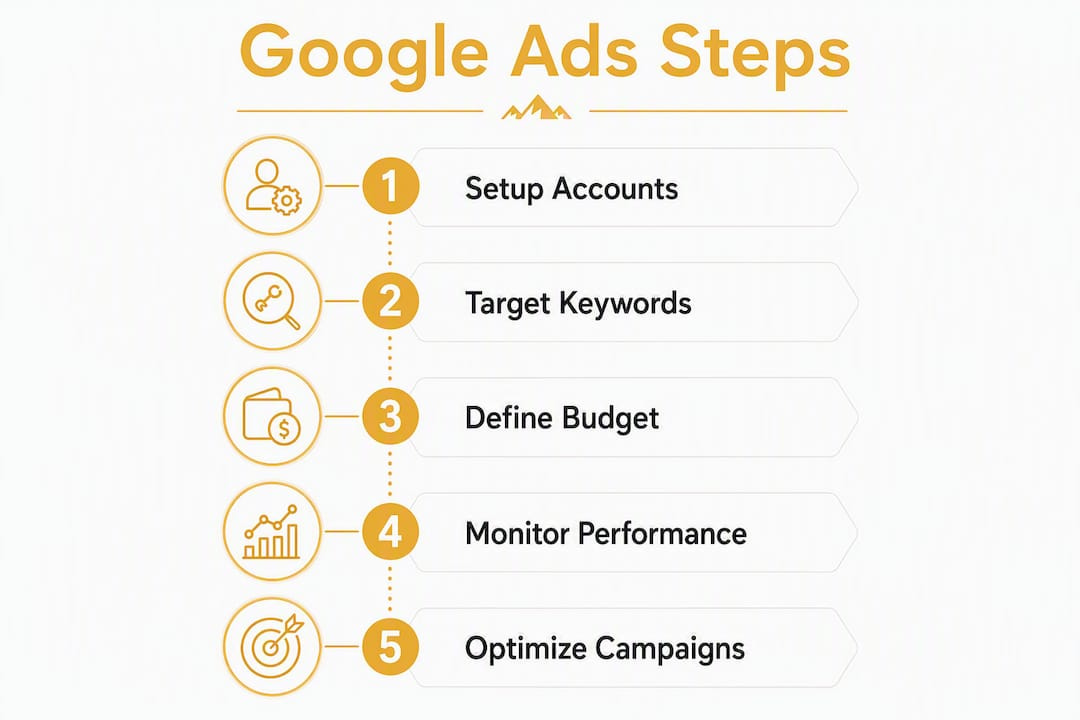
Here’s the 60-to-90-minute action plan to get started:
- Apply for Local Services Ads (LSA) through Google’s LSA portal and complete the background check and license verification process.
- Build two to three Search campaigns, each covering one service line: emergency electrical, panel upgrades, and EV charger installs are the highest-value starting points.
- Create one service-specific landing page per campaign. Do not send traffic to your homepage.
- Install a call-tracking solution (such as CallRail or a similar dynamic number insertion tool) and connect it to Google Ads as a primary conversion action.
- Add at least 40 negative keywords before your campaigns go live. Start with: jobs, career, training, apprentice, salary, DIY, parts, supplier, and how-to.
- Set a starting daily budget appropriate to market size to collect meaningful data within a reasonable period.
Average CPC across top commercial electrician queries varies significantly by service, with emergency electrical searches generally more expensive than EV charger installs. Knowing those ranges before you set bids keeps your budget from evaporating on the wrong keywords.
Table of Contents
- Why does Google Ads work so well for electrician lead generation?
- Which Google ad types should electricians prioritize?
- How should you structure your Google Ads account to minimize waste?
- What keywords and negative keywords should electricians use?
- How do landing pages and conversion tracking turn clicks into booked jobs?
- How much should electricians budget for Google Ads, and what CPCs should you expect?
- How do you track calls, booked jobs, and true ROI from Google Ads?
- What ad copy and extensions drive the most calls for electricians?
- What does a weekly and monthly optimization routine look like?
- How do residential and commercial campaigns differ in strategy?
- Why do most electrician Google Ads campaigns fail, and how do you fix them?
- Key Takeaways
- The case for managed Google Ads over DIY for most electricians
- Denvercountywebdesign handles the setup so you can focus on the work
- Useful sources and further reading
- FAQ
Why does Google Ads work so well for electrician lead generation?
When a homeowner’s breaker panel trips at 9 PM or a business owner needs a commercial panel upgrade before a tenant moves in, they go straight to Google. They are not browsing social media or waiting for a mailer. They type “emergency electrician near me” or “panel upgrade [city]” and call the first credible result they see. Google Ads puts your business at the top of that page before your organic ranking has a chance to catch up.

That immediacy is the core business case. Unlike SEO, which builds authority over months, paid search delivers visibility the same day your campaign goes live. For electricians, that speed matters because the demand is often urgent. A homeowner with a dead circuit or a contractor who needs rough-in work scheduled next week is not going to scroll to page two.
Google Ads also fills specific demand gaps that referrals and word-of-mouth miss. EV charger installs, whole-home generator hookups, and service panel replacements are high-ticket jobs that homeowners actively search for but rarely ask neighbors about. Those searches have clear commercial intent, and a well-placed ad captures that intent at exactly the right moment.
There are situations where Google Ads is a harder sell. If your monthly budget is under $1,000, you may not collect enough data to optimize effectively, especially in competitive metro markets. Highly seasonal markets (think holiday lighting installation only) can also make year-round campaigns inefficient. In those cases, a tighter campaign window or a stronger focus on LSA makes more sense.
Pro Tip: Google Ads should supplement your local SEO, not replace it. Paid ads produce immediate visibility while your Google Business Profile and organic rankings build long-term stability. Run both in parallel for the strongest lead pipeline.
Which Google ad types should electricians prioritize?
Not every ad format earns its place in an electrician’s account. Here’s the priority order, with the rationale for each.
1. Local Services Ads (Google Guaranteed)
LSA appears above paid search results and the map pack. It shows your business name, star rating, and the Google Guaranteed badge, which signals to homeowners that Google has verified your license and background. For immediate-service searches (“electrician near me,” “emergency electrical repair”), LSA typically drives calls at lower friction than standard Search ads because the trust signals are built in. You pay per lead, not per click, which makes cost control more predictable.
LSA eligibility checklist:
- Valid state electrical contractor license on file
- Background check completed for business owner and technicians
- Proof of liability insurance uploaded
- Google Business Profile active and verified
- Service area and categories accurately set
2. Search campaigns
Search captures high-intent buyers who are ready to hire. Split your campaigns by service line so Google’s algorithm can optimize bids for each job type’s value. Emergency calls, panel upgrades, and EV charger installs each have different CPCs and different close rates. Mixing them into one campaign forces Google to average bids across wildly different job values.
3. Call-only ads and call extensions
For emergency and same-day service, call-only ads remove the landing page step entirely. The ad shows your phone number and a “Call Now” button. On mobile, that’s often all a panicked homeowner needs. Add call extensions to every Search campaign as a baseline, even when you’re not running call-only ads.

4. Performance Max
Performance Max can spend broadly across Google’s inventory if you run it without clean conversion data. Only add it after you have imported offline conversions (booked jobs) and accumulated at least 30 conversions per month in your Search campaigns. Before that threshold, it optimizes for the wrong signals.
5. Display and YouTube
These formats work for brand awareness in your service area, not for immediate lead capture. They’re worth testing once your Search and LSA campaigns are profitable, but they should not be your starting point.
Pro Tip: If you’re not yet eligible for LSA or you’re waiting on background check approval, launch your Search campaigns immediately. Don’t wait. The two run independently and LSA approval can take several weeks.
How should you structure your Google Ads account to minimize waste?
The single biggest structural mistake electricians make is running one campaign with all services lumped together. Mixing service types like emergency calls and panel upgrades in the same campaign forces Google to average bids across job values that can differ by a factor of five or more. The result is overpaying for low-ticket clicks and underbidding on high-ticket ones.
Here’s a practical account structure that separates intent and service value:
| Campaign | Ad Groups | Keyword Themes | Conversion Goal |
|---|---|---|---|
| Emergency Electrical | After-hours, same-day, outage | “emergency electrician,” “no power,” “electrician near me now” | Phone call (immediate) |
| Panel Upgrades | 100A to 200A, service upgrade | “panel upgrade,” “electrical panel replacement,” “200 amp service” | Call or contact form |
| EV Charger Install | Level 2, home charger, EVSE | “EV charger installation,” “home charging station,” “Level 2 charger” | Call or form |
| Generator Install | Whole-home, standby, transfer switch | “generator installation,” “standby generator,” “transfer switch install” | Form or booked estimate |
| Commercial Electrical | Tenant improvement, lighting, code work | “commercial electrician,” “office electrical,” “commercial panel” | Form or sales rep routing |
Ad scheduling by campaign type: Emergency campaigns should run 24/7 with a bid boost during evening and weekend hours when competitors often pause. Planned-work campaigns (panel upgrades, EV chargers, generators) can run business hours only, typically 7 AM–7 PM Monday through Saturday, to match when homeowners are actively researching and ready to book.
Each campaign should have its own conversion definition. Emergency campaigns optimize for phone calls. High-ticket campaigns like generator installs benefit from form submissions or booked estimates, which you can import back into Google Ads as offline conversions once the job is confirmed.
What keywords and negative keywords should electricians use?
Match type discipline is where most electrician accounts either hold together or fall apart. The recommendation is clear: favor exact match and phrase match. Broad match can work, but only with a strong negative keyword list and tight bid controls, and even then it requires daily monitoring in the early weeks.
Starter keyword examples by service:
- Emergency: [emergency electrician], “electrician near me,” [no power in house], “electrical emergency”
- Panel upgrades: [electrical panel upgrade], “200 amp service upgrade,” [panel replacement cost], “breaker box replacement”
- EV chargers: [EV charger installation], “Level 2 charger install,” [home EV charging station], “EVSE installation”
- Generators: [whole home generator installation], “standby generator install,” [transfer switch installation]
- Commercial: [commercial electrician], “commercial electrical contractor,” [office electrical work]
Scale keyword lists by job value. High-ticket services like full rewires and commercial work warrant more aggressive bidding and broader phrase-match coverage because the margin supports it. Emergency keywords tend to have the highest CPCs ($20–$60), so keep those ad groups tight and well-negated.
Most accounts start with under 10 negative keywords. Improving to a 40-plus term negative list meaningfully reduces irrelevant clicks and improves cost per lead. Here’s a starter negative list to add before launch:
- Jobs, job openings, hiring, career, careers
- Training, apprentice, apprenticeship, school, course, certification
- Salary, pay, wages, hourly rate
- DIY, how to, tutorial, guide, myself
- Parts, supplies, supplier, wholesale, distributor
- Free, cheap, cheapest
- Diagram, wiring diagram, schematic
Pull your Search Terms report every week for the first 60 days and add new negatives as irrelevant queries appear. This is the fastest lever you have to reduce wasted spend without touching your bids.
Pro Tip: Use keyword-level bids to reflect ticket size. If an EV charger install is worth $1,200 and an emergency service call is worth $250, your max CPC for EV charger keywords should be proportionally higher, not the same flat bid across both.
How do landing pages and conversion tracking turn clicks into booked jobs?
Sending all your ad traffic to your homepage is one of the most expensive mistakes in PPC advertising for electricians. Accounts that route clicks to the homepage generally see lower conversion rates compared to service-specific landing pages, which perform better. That gap translates directly into cost per lead.
A service-specific landing page for, say, panel upgrades should include:
- Headline: matches the ad copy (“Panel Upgrade Specialists in [City] — Same-Week Scheduling”)
- Subheadline: one sentence on the outcome (“We upgrade 100A panels to 200A service, fully permitted and inspected”)
- Click-to-call button: above the fold, visible without scrolling on mobile
- Short contact form: name, phone, service needed, preferred time (four fields maximum)
- Trust signals: license number, years in business, Google star rating, Google Guaranteed badge if applicable
- Brief FAQ: three to five questions that address common objections (cost range, timeline, permit handling)
- Photo or video: your team or a completed job in the local area
Mobile optimization is not optional. Most emergency searches happen on phones. Your click-to-call button needs to be thumb-sized, your form needs to auto-fill phone numbers, and your page needs to load in under three seconds. A mobile-first landing page that loads fast and makes calling effortless is the single highest-leverage conversion improvement you can make.
Conversion action setup:
- Emergency campaigns: set phone calls of 60 seconds or longer as your primary conversion
- Panel upgrades and EV chargers: use both calls and form submissions; weight calls higher
- Generator installs and commercial work: form submission or booked estimate as primary; calls as secondary
Pro Tip: Add your electrician review responses to your landing pages as social proof. Tools like electrician review templates can help you build a library of professional responses that also reinforce trust signals when displayed on your site.
How much should electricians budget for Google Ads, and what CPCs should you expect?
Budget is where expectations need to be grounded in real numbers, not wishful thinking. Here are the benchmarks that matter for electricians running campaigns in the U.S. market.
| Service Line | Typical CPC Range | Blended CPL Target | Avg. Job Value |
|---|---|---|---|
| Emergency electrical | $20–$60 | $80–$150 | $200–$500 |
| Panel upgrades | $15–$30 | $50–$150 | $1,500 |
| EV charger install | $6–$12 | $50–$150 | $2,500 |
| Generator install | $10 | $50–$150 | $3,000 |
| Commercial electrical | $12–$30 | $50–$150 | — |
The average CPC across top commercial electrician queries sits around $15.94, but that average masks the wide spread between service lines. Emergency keywords tend to be more expensive and time-sensitive, while EV charger keywords are generally more affordable and increasing in relevance. The blended cost per lead in well-managed electrician accounts typically lands between $50 and $150.
Starting daily budgets by market size:
- Major metro (Denver, Dallas, Chicago): $50–$100/day minimum to collect meaningful optimization data within 30–60 days
- Regional or smaller markets: $30–$50/day is often sufficient to generate enough clicks for early decisions
A simple CPA calculation: if your panel upgrade campaign runs at a $20 average CPC and your landing page converts at 10%, you’re paying $200 per lead. If you close 40% of those leads, your cost per booked job is $500. On a $2,500 average job, that’s a 5:1 return before overhead. Run that math for each service line before you set your budget.
Bidding strategy by stage:
Start with manual CPC to maintain control while you gather data. Switch to Target CPA or Maximize Conversions only after you have at least 30 conversions per month in that campaign, and only after you’ve imported offline conversions (booked jobs) so the algorithm optimizes toward real revenue, not just form fills. Automated bidding on thin data is one of the fastest ways to blow through budget with nothing to show for it.
How do you track calls, booked jobs, and true ROI from Google Ads?
Tracking is where most electrician campaigns quietly fail. Without it, you’re flying blind on which keywords, ads, and campaigns are actually generating revenue.
The minimal tracking stack you need:
| Tool | Role | Setup Priority |
|---|---|---|
| Google Tag Manager | Container for all tracking scripts; simplifies deployment | First |
| Google Analytics 4 (GA4) | Session data, traffic sources, on-site behavior | First |
| Google Ads conversion actions | Tracks calls, form fills, and imported offline conversions | First |
| Call tracking (dynamic numbers) | Attributes phone calls to specific keywords and ads | First |
| CRM or field-service software | Records booked jobs for offline conversion import | Second |
Without call tracking and offline conversion imports, Performance Max and automated bidding optimize for clicks and low-value micro-conversions rather than booked jobs. That means Google’s algorithm learns to find people who click, not people who hire you.
How to import offline conversions:
- When a lead books a job in your CRM, tag the record with the Google Click ID (GCLID) captured at form submission or call.
- Export a CSV of booked jobs weekly with GCLID, conversion name, conversion time, and conversion value.
- Upload to Google Ads under Tools > Conversions > Upload.
- Set the imported “Booked Job” conversion as your primary conversion action in campaigns using automated bidding.
Weekly and monthly reporting fields to track:
| Metric | Weekly Check | Monthly Review |
|---|---|---|
| Clicks and CPC | Yes | Yes |
| Call rate (calls/clicks) | Yes | Yes |
| Call-to-book rate | Yes | Yes |
| Cost per booked job | Yes | Yes |
| Search impression share | No | Yes |
| Conversion import health | Yes | Yes |
Connect your call tracking tool to your CRM so every inbound call is logged with source data. Tools like CallRail integrate directly with Google Ads and GA4, passing call duration and outcome data back into your reporting. That closes the loop between ad spend and actual revenue.
What ad copy and extensions drive the most calls for electricians?
Ad copy for electricians needs to do two things fast: signal availability and build enough trust that a stressed homeowner picks up the phone. Including availability, response time, license information, and clear CTAs like “Call Now — Same Day” consistently increases call conversions for emergency searches.
Headline templates by service:
- Emergency: “Emergency Electrician [City] | 24/7 Response | Call Now”
- Panel upgrades: “Panel Upgrade Specialists | Permitted & Inspected | Free Estimate”
- EV charger: “EV Charger Installation | Licensed Electrician | Same-Week Scheduling”
- Generator: “Standby Generator Install | Transfer Switch Included | Call for Quote”
Description templates:
- Emergency: “Licensed electricians available now. Fast response, upfront pricing. No power? Call us first.”
- Panel upgrades: “We upgrade 100A to 200A panels, fully permitted. Serving [City] and surrounding areas. Book online.”
- EV charger: “Level 2 home charger installation by certified electricians. Most installs completed same day.”
Extensions checklist by campaign type:
- Call extensions: add to every campaign; set to show during your available hours
- Sitelink extensions: link to your service pages (Panel Upgrades, EV Chargers, Emergency Service, About/License)
- Callout extensions: “Licensed & Insured,” “Same-Day Service,” “Free Estimates,” “Google Guaranteed”
- Structured snippets: list your services under the “Services” header
- Location extensions: link your Google Business Profile to show your address and service area
A/B testing plan:
Start by testing headlines. Run two variants per ad group: one focused on urgency (“Available Now — Call Today”) and one focused on trust (“Licensed Electrician — 20 Years in [City]”). After 200 impressions per variant, compare click-through rate and conversion rate. Swap the loser, keep the winner, and test the next variable. Move to descriptions only after headlines are stable.
What does a weekly and monthly optimization routine look like?
Consistent optimization is what separates a campaign that slowly drains your budget from one that compounds returns over time. Here’s the cadence that keeps accounts healthy.
Weekly tasks:
- Pull the Search Terms report and add new negative keywords for any irrelevant queries
- Review bid adjustments by hour and day; increase bids during your highest-converting windows
- Check call tracking health: confirm calls are being recorded and attributed correctly
- Review ad performance by headline variant; pause underperformers with statistical significance
Monthly tasks:
- Test a new landing page element (headline, CTA button color, form length, trust badge placement)
- Verify offline conversion imports are uploading correctly and conversion counts are accurate
- Review budget allocation across campaigns; shift spend toward the lowest cost-per-booked-job service lines
- Check Quality Scores by keyword and improve ad relevance or landing page experience for scores below 6
Common mistakes and immediate fixes:
- Routing all traffic to the homepage: create service-specific landing pages for each campaign and update destination URLs immediately
- Fewer than 40 negative keywords: export your Search Terms report, identify irrelevant queries, and add them as negatives today
- Running broad match without controls: switch to phrase or exact match, or add a comprehensive negative list before broad match keywords go live
- No call tracking: install a dynamic call tracking solution before your next billing cycle; every call you can’t attribute is budget you can’t justify
When to scale vs. pause: If a campaign has run for 30 days, spent at least $1,500, and produced fewer than five booked jobs, pause it and audit the landing page and keyword list before adding more budget. If cost per booked job is below your target CPA and impression share is under 50%, increase the daily budget by 20% and monitor for two weeks.
Pro Tip: Early data is noisy. Don’t make major bid changes in the first two weeks. Let campaigns run long enough to collect at least 50 clicks per ad group before drawing conclusions about what’s working.
How do residential and commercial campaigns differ in strategy?
Residential and commercial electrical work require completely separate campaign motions. The buyer intent, decision timeline, and messaging are different enough that mixing them in the same campaign produces mediocre results for both.
Residential campaigns:
- Intent is urgent or near-term; homeowners want fast answers and clear pricing signals
- Decision timeline is hours to days
- Messaging should emphasize speed, availability, and trust (“Same-day service,” “Licensed and insured,” “Google Guaranteed”)
- Primary conversion: phone call
- Lead handling: route directly to dispatch for same-day scheduling
Commercial campaigns:
- Intent is project-based; buyers are comparing contractors and evaluating credentials
- Decision timeline is days to weeks
- Messaging should emphasize certifications, project experience, and reliability (“Commercial panel specialists,” “Tenant improvement experts,” “Bonded and insured for commercial work”)
- Primary conversion: contact form or booked estimate
- Lead handling: route to an estimator or sales rep, not dispatch
Structural setup for parallel campaigns:
- Create separate campaigns for residential and commercial, each with their own budget and bidding strategy.
- Use separate landing pages with audience-specific proof points: speed and availability for homeowners, case studies and certifications for commercial buyers.
- Set up separate conversion actions so you can track call-to-book rate and cost per booked job independently for each audience.
- Label CRM records by source (residential vs commercial) to prevent cross-contamination in your reporting.
- Review commercial lead quality monthly; commercial leads often take longer to close, so your 30-day cost-per-lead metric will look worse than it actually is.
For commercial accounts, managing your online reviews is especially important because commercial buyers research contractors more thoroughly before reaching out. A strong review profile with professional responses reinforces the credibility your ad copy promises.
Why do most electrician Google Ads campaigns fail, and how do you fix them?
The failure modes are consistent. Most electrician campaigns underperform for the same handful of reasons, and most of them are fixable within a single work session.
Top failure modes:
- Mixed service campaigns with averaged bids across wildly different job values
- Fewer than 10 negative keywords at launch, leading to clicks from job seekers, students, and DIYers
- All traffic routed to the homepage, producing 1–3% conversion rates instead of 8–15%
- Performance Max running before offline conversions are imported, optimizing for clicks instead of booked jobs
Diagnostic flow:
Start with your conversion data. If you have fewer than 30 conversions in the last 30 days, your automated bidding is guessing. Pull your Search Terms report next. If more than 20% of your spend is going to irrelevant queries (job listings, training searches, DIY terms), your negative keyword list needs immediate attention. Then check your landing page destination: if any campaign is sending traffic to your homepage, that’s your highest-priority fix.
When to bring in a specialist: if you’ve run campaigns for 60 days, spent more than $3,000, and still can’t identify which keywords are generating booked jobs, the tracking setup needs a professional audit. The diagnostic work alone is worth the cost. Look for a provider who can show you how they import offline conversions, how they structure accounts by service line, and what their reporting dashboard looks like. Those three questions separate experienced managers from order-takers.
Red flags when evaluating a Google Ads manager:
- They can’t explain how they track booked jobs (not just form fills)
- They run one campaign for all services
- They don’t ask about your average job value before recommending a budget
- They promise a specific number of leads without knowing your market’s CPC landscape
Pro Tip: Ask any prospective manager to show you a sample account structure and a sample reporting dashboard before you sign anything. The structure tells you how they think; the dashboard tells you whether they measure what actually matters.
Key Takeaways
Google Ads works for electricians when campaigns are split by service line, conversion tracking is clean, and traffic goes to service-specific landing pages, not the homepage.
| Point | Details |
|---|---|
| Split campaigns by service | Separate emergency, panel upgrades, EV chargers, and generators to control bids and CPL per job type. |
| Use realistic CPC benchmarks | Emergency keywords typically cost more per click than EV charger installs; blended cost per lead targets fall within a moderate range. |
| Service pages beat homepages | Service-specific landing pages convert at 8–15% versus 1–3% for homepage traffic. |
| Track booked jobs, not just clicks | Import offline conversions into Google Ads so automated bidding optimizes toward real revenue. |
| Denvercountywebdesign manages the full setup | The agency handles LSA setup, service landing pages, call tracking, and campaign builds for Colorado contractors. |
The case for managed Google Ads over DIY for most electricians
Here’s the honest take: Google Ads is not complicated to start, but it is genuinely difficult to run profitably over time. The setup is one afternoon. The optimization is every week, indefinitely.
Most electricians who try to manage their own campaigns hit the same wall around week six. The initial setup looks fine. Calls are coming in. Then the Search Terms report fills up with irrelevant queries, Quality Scores drop, CPL creeps up, and the account needs a structural fix that takes more time than a busy contractor has. That’s not a failure of effort. It’s a mismatch between what the platform demands and what a working electrician can realistically give it.
DIY makes sense in two specific scenarios: you have a slow season with time to learn the platform properly, or your market is small enough that a simple two-campaign structure with manual bids is sufficient. In those cases, the guidance in this article gives you everything you need to build and run a solid account.
For everyone else, the math usually favors managed services. A well-managed account that reduces CPL by $30 per lead pays for management fees quickly when you’re booking five to ten jobs a month from paid search. The real question isn’t whether to pay for management. It’s whether the manager you hire actually tracks booked jobs and optimizes toward revenue, or just toward clicks.
Questions to ask before hiring a Google Ads manager:
- How do you track booked jobs, not just form fills?
- How do you structure campaigns for different service lines?
- What does your monthly reporting include, and can I see a sample?
- Do you set up offline conversion imports, and how?
Any manager who can’t answer those questions clearly is not the right fit for an electrician’s account.
Denvercountywebdesign handles the setup so you can focus on the work
Running a profitable Google Ads account for an electrical business takes more than turning campaigns on. It takes service-specific landing pages that convert, call tracking that feeds real data back into Google, LSA setup and verification, and a campaign structure that separates your service lines from day one.

Denvercountywebdesign builds exactly that for contractors in Colorado. The managed package includes custom service landing pages, Google Business Profile optimization, LSA setup, offline conversion imports, and a full campaign build with a 90-day optimization cycle. It’s built for electrical contractors with average job values above $3,000 who don’t have time to manage ad accounts between service calls.
The agency’s clients have seen a 243% increase in organic traffic within 90 days, and the same conversion-focused approach applies to paid campaigns. If your Google Ads account isn’t tracking booked jobs or your campaigns are all running to the same homepage, that’s the starting point.
Get a free local presence audit to see where your Google visibility stands before you spend another dollar on ads. Or go straight to the Denver County Web Design services page to talk through a managed setup for your electrical business.
Useful sources and further reading
These are the primary sources used throughout this article, along with notes on what each one is most useful for:
- Google Ads for Tradesmen: A Comprehensive Guide — broad overview of how Google Ads fits into a trades business’s marketing mix. Good for context and general strategy.
- The Electrician’s Guide to Google Ads and PPC Advertising — practical framing of why electricians need paid search and how it compares to lead sites and word-of-mouth.
- AI Review Replies for Electricians — practical tool for managing and responding to Google reviews, which directly supports the trust signals your landing pages and LSA profile need.
- Denver County Web Design — managed Google Ads setup, landing page builds, and local SEO for electrical contractors in Colorado.
FAQ
Do Google Ads actually work for electricians?
Yes. Google Ads works well for electricians because it captures high-intent searches at the exact moment someone needs an electrician. Well-managed accounts typically deliver a blended cost per lead of $50–$150 with an 8–15% click-to-call rate.
Is $20 a day enough to run Google Ads as an electrician?
In most U.S. markets, $20 a day is below the threshold for collecting meaningful optimization data. Major metro markets generally need $50–$100 per day to generate enough clicks and conversions within 30–60 days to make informed decisions.
How do I advertise effectively as an electrician on Google?
Start with Local Services Ads for immediate trust and visibility, then run Search campaigns split by service line (emergency, panel upgrades, EV chargers). Use service-specific landing pages, install call tracking, and build a negative keyword list of at least 40 terms before launch.
What does Google Ads cost per lead for an electrician?
Cost per lead varies by service: emergency electrical typically runs $80–$150 per lead given the higher CPC ($20–$60 per click), while EV charger installs can come in at $40–$90 per lead with CPCs of $6–$12. The blended CPL across a well-managed account lands between $50 and $150.
When should an electrician hire someone to manage Google Ads?
If you’ve spent more than $3,000 over 60 days and can’t identify which keywords are generating booked jobs, bring in a specialist. Denvercountywebdesign manages Google Ads for Colorado electrical contractors, including offline conversion tracking and service-specific landing pages.



