
If your listing just vanished from Google Maps or you can’t manage it anymore, the fix starts with one move: file through the Google Business Profile appeals tool. Stop editing your listing, don’t spin up a new one, and set your expectations for a response window that typically ranges from about one week up to several weeks.
TL;DR:
- Ensure your business name matches official registration documents and avoid adding keywords or descriptors that violate Google’s name policy.
- Virtual addresses, PO boxes, or inconsistent address details across directories often cause suspensions; maintain uniformity everywhere.
- Gather matching business registration, license, utility bills, and photographic proof, including signage and vehicles, before filing your appeal for best results.
- Limit profile edits to avoid triggering Google’s spam filters, and submit a clear, factual appeal with attached proof within 60 minutes of starting the process.
- Expect response times of one to six weeks, and reinforce profile consistency and documentation to prevent future suspensions.
Table of Contents
- What Triggered Your Google Business Profile Suspension? Start Here
- Why Was My Business Profile Suspended?
- What Evidence Do You Need to Reinstate a Suspended Listing?
- How Do You Submit a Google Business Suspension Appeal?
- How Long Does Google Business Account Recovery Take?
- How to Prevent Future Google Business Profile Suspensions
- Our take on reinstatement
- Official Resources for Google Business Profile Suspension Help
- Sources
- FAQ
What Triggered Your Google Business Profile Suspension? Start Here
Before you touch the appeals tool, spend 10 to 30 minutes checking what actually went wrong. Filing blind wastes your one good shot at a fast reinstatement.
Walk through this fast:
- Hard or soft suspension? If your listing is gone from Maps and Search entirely, that’s hard. If you can still see it but can’t edit or manage it, that’s soft. They call for different fixes.
- Name match: Compare your Google Business Profile name against your signage, your legal registration, and your invoices. Any mismatch, especially added keywords, is a red flag.
- Address eligibility: Storefronts are usually safe. Virtual offices, PO boxes, and unclear service-area setups are common suspension triggers.
- Duplicate listings: Search your business name and phone number to see if a second, forgotten profile is competing with yours.
- Manager accounts: Check who has access. A former employee or agency with lingering admin rights can cause account-level restrictions you didn’t even know about.
Once you start collecting evidence, freeze all edits. Every change resets the clock reviewers use to judge your account’s stability.
Pro Tip: Take a screenshot of your suspended profile the moment you notice it. If Google later disputes the timeline or the reason shown, you’ll have your own record.
Why Was My Business Profile Suspended?
Suspensions aren’t random. Google’s automated systems flag patterns, and most of them trace back to one of five root causes.
- Name policy violations. Adding keywords like “Best Denver Plumber 24/7” to your business name instead of your actual registered name is one of the fastest ways to trigger a review. Google treats this as manipulation, not marketing.
- Address problems. Virtual offices, shared coworking spaces used as a primary address, and inconsistent addresses across directories all raise flags. Service-area businesses need to hide their address correctly in the profile settings, not fudge it.
- Duplicate listings. Two profiles for the same business, often created after a rebrand or a change in management, confuse Google’s matching system and can suspend both.
- Account-level issues. Suspicious sign-in activity, a manager account tied to a suspended business elsewhere, or ownership disputes between former partners fall into this bucket.
- Edit velocity. Changing your name, address, category, and hours all within a day or two reads as suspicious to Google’s spam filters, even when every change is legitimate.
Hard suspensions usually stem from address or identity questions. Soft suspensions more often point to an account or ownership conflict. Knowing which one you’re dealing with tells you which evidence to gather first.
What Evidence Do You Need to Reinstate a Suspended Listing?
Google’s own guidance names four categories of proof that carry weight: business registration documents, a business license, tax certificates, and a utility bill. Every one of them needs to show the exact same name and address that appears on your profile. A single mismatched suite number can sink an otherwise solid appeal.
Build your file before you open the appeal, not during it:
- Business registration or articles of incorporation
- Current business license or permit
- A recent utility bill showing your business name and service address
- Photos of your exterior signage, storefront, and interior workspace
- Photos of branded company vehicles, if you use them
- A short walkthrough video showing your signage, entrance, and staff at work
A brief video often does more work than a stack of paperwork. Practitioners who handle these appeals regularly recommend a walkthrough clip because it shows real operations in a way a PDF can’t fake.
The stakes for getting this right are high. A suspended listing can cut inbound calls by as much as 90%, because Maps traffic is often where local customers find you first.
Save everything as a clearly labeled PDF or JPEG, name your files something obvious like “business_license_2026.pdf,” and keep them in one folder on your desktop. You’ll need to move fast once the appeal form opens.
How Do You Submit a Google Business Suspension Appeal?
Open the appeals tool from your Business Profile Manager or through the link in Google’s suspension email. Then work through it in order:
- Select the suspended profile from your account.
- Confirm your eligibility details when prompted.
- Write a short, factual statement describing what happened and what you corrected, if anything.
- Attach your evidence files. You have 60 minutes from opening the form to upload everything, so have your files ready beforehand.
- Submit the appeal and stop editing the profile.
Keep the message plain. State what the issue likely was, what you fixed, and what proof you’re attaching. Don’t argue with Google’s policy or demand an explanation. Reviewers respond to facts, not frustration.
If you see a “Cannot appeal” message or your first appeal gets denied, don’t panic and don’t resubmit immediately. Gather stronger documentation and request an additional review instead.
Pro Tip: Filing multiple appeals back to back, or creating a second listing while you wait, usually slows things down rather than speeding them up. One clean, well-documented appeal beats five rushed ones.
How Long Does Google Business Account Recovery Take?
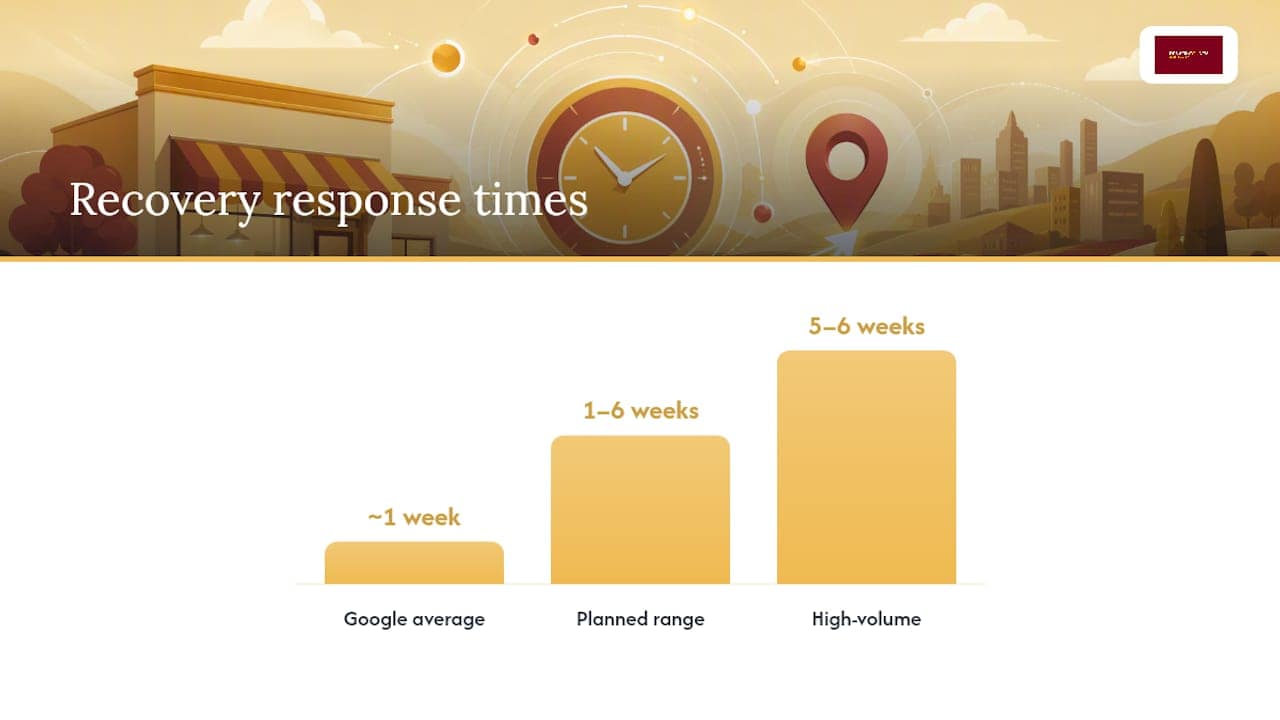
Plan for one to six weeks. Google’s own support documentation notes that response times average about one week but can stretch to five or six during high-volume periods.
While you wait, consider using a local SEO rank tracker to monitor if reinstatement restores your map rankings and visibility:
- Check your appeal status directly in the Business Profile Manager and watch for email updates.
- Once reinstated, immediately verify your name, address, and phone number are still correct.
- Watch for unexpected user-suggested edits in the days after reinstatement.
- Make any further changes slowly, one at a time, over several weeks.
- If denied again, go back to the diagnosis step, strengthen your evidence, and request another review rather than starting over.
If you’ve tried this twice and you’re still stuck, or you simply don’t have the bandwidth to chase it, that’s usually the point where bringing in a local specialist starts to pay for itself.
How to Prevent Future Google Business Profile Suspensions
Reinstatement is only half the job. The other half is making sure you never see that suspension notice again.
- Use a business-domain email as the primary owner account. A Gmail address tied to a random employee is a common weak point, and limiting manager access to people who actually need it reduces your exposure.
- Keep your name, address, and phone number identical everywhere, on your website, your registration paperwork, and every directory listing you appear in.
- Never add descriptors or keywords to your business name field. “Denver Roofing Pros” as your legal name is fine. “Denver Roofing Pros | 5-Star Emergency Roof Repair” is not.
- Space out your edits. Changing your hours this week, your category next week, and your address the week after looks far less suspicious than doing all three in one sitting.
- Document everything as you go. Keep signed leases, signage photos, and utility bills in one folder so you’re never scrambling if a review flag hits.
Pro Tip: Set a calendar reminder every quarter to double check your profile against your website and your Google Business listing. Catching a small mismatch yourself beats finding out about it through a suspension notice.
Our take on reinstatement
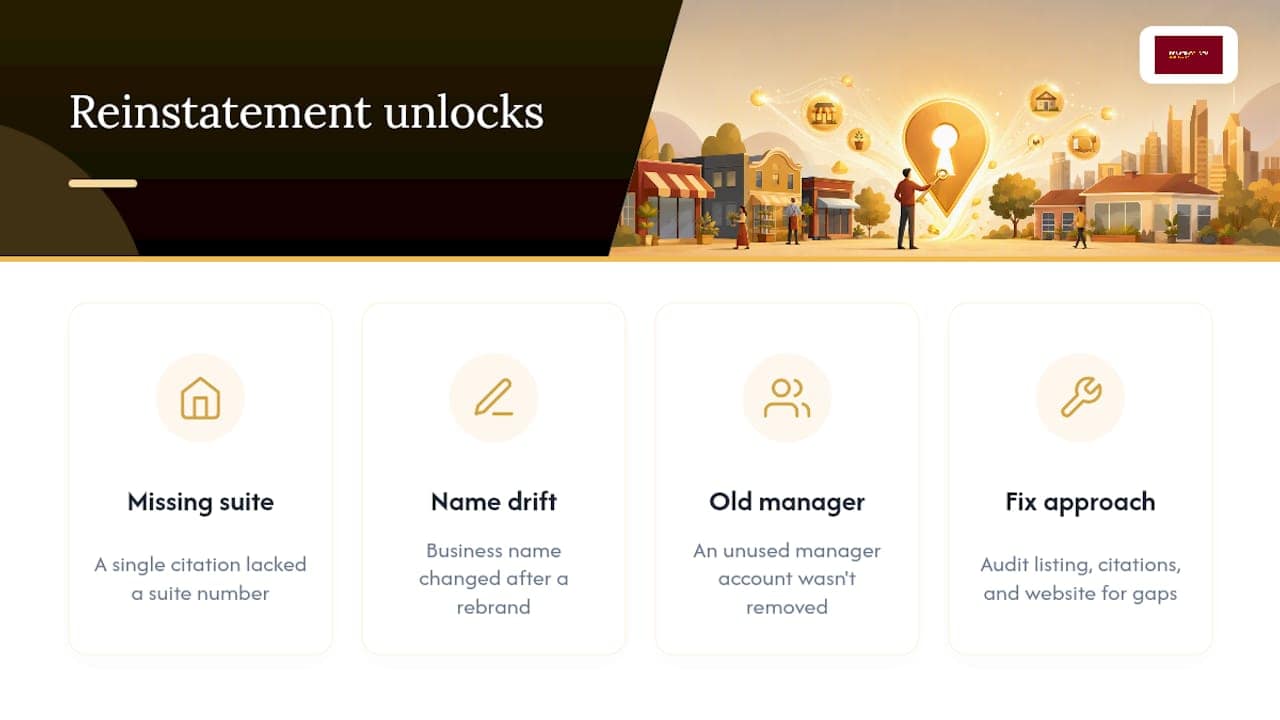
We work with home service businesses across Colorado, and Google Business Profile issues come up constantly during our audits. More often than not, the culprit is a small, boring detail: a suite number missing from one citation, a name that drifted slightly after a rebrand, an old manager account nobody remembered to remove.
Fixing that mismatch is usually the real unlock, more than the appeal wording itself. If you’d rather have someone comb through your listing, your citations, and your website for these gaps, our Google Business Profile optimization guide walks through what we check first, or you can start with a free map pack audit to see where things stand.
— Luis
Official Resources for Google Business Profile Suspension Help
File directly through Google’s appeals tool and review its evidence guidelines. For deeper walkthroughs, see BrightLocal’s suspension guide and Optuno’s step-by-step process. Local businesses can also request a free SEO audit from Denver County Web Design.
Sources
- Fix suspended or disabled profiles – Google Business Profile Help (appeals tool guidance)
- Fixing a Suspended Google Business Profile – BrightLocal
FAQ
How Do I Know if My Google Business Profile Is Suspended?
Your listing disappearing from Maps and Search points to a hard suspension, while a visible but unmanageable profile with an error message when you try to edit it signals a soft suspension.
Can I Create a New Listing While My Appeal Is Pending?
No. Creating a second profile while an appeal is active usually complicates and slows down reinstatement rather than helping it.
How Long Does a Google Business Suspension Appeal Take?
Plan for about one to six weeks, based on Google’s own guidance, with longer waits common during peak suspension periods.
What Documents Does Google Accept for a Suspension Appeal?
Business registration, a business license, tax certificates, and a utility bill are the primary accepted documents, and all of them need to match your profile’s exact name and address.
What’s the Difference Between a Hard and Soft Suspension?
A hard suspension removes your business entirely from Google Maps and Search, while a soft suspension leaves your profile visible to customers but locked from editing on your end.



