
The fastest way to get more calls this week is to copy three things from the plumbing sites that convert best: a click-to-call hero, a clear service-area statement, and a recent review shown near the top of the page. Put those three pieces in your hero and your contact flow first, then build out the rest. Everything below shows you exactly where top sites place these elements and how to copy them.
TL;DR:
- The most effective plumbing websites feature a click-to-call hero, a clear service-area statement, and recent reviews displayed near the main contact element.
- Templates and site builders are quick and affordable but limit customization, while custom WordPress sites offer more control at higher upfront costs suitable for scaling.
- Plumbers targeting emergency calls should prioritize prominent phone numbers and guarantee messaging, whereas those focusing on scheduled or commercial work need suitable hero layouts and trust signals.
- Adding LocalBusiness schema, optimizing for mobile speed, and having an active Google Business Profile significantly improve local search visibility and trustworthiness.
- Accessibility features like large fonts, high contrast, and simple navigation are crucial for capturing older or stressed customers during emergencies.
Table of Contents
- 1. Curated gallery: plumbing website examples worth copying
- 2. Which hero template fits your plumbing business?
- 3. Trust signals and conversion elements every plumbing site must show
- 4. Content and local SEO essentials for plumber websites
- 5. Cost shapes: templates, builders, and custom sites compared
- 6. Actionable checklist: what to copy from examples this week
- 7. How Denver County Web Design builds plumbing websites that convert
- 8. Accessibility features specific to plumbing websites
- 9. Integration with booking and payment systems popular in plumbing services
- 10. Examples of branding and visual identity elements effective for plumbing websites
- 11. Author’s practical principle for redesigning a plumbing website
- 12. Denver County Web Design: services for plumbers
- Sources
- FAQ
1. Curated gallery: plumbing website examples worth copying
You do not need to reinvent your homepage. You need to study a handful of sites that already do the job well and borrow the piece that fits your business. Here is a working gallery, with the one lesson each site teaches.
- Roto-Rooter puts an emergency phone number and service categories directly in the hero, so a visitor with a burst pipe never has to scroll to find help.
- Thumbtack listings show reviews and service-area coverage side by side, proving that pairing proof with location builds instant trust.
- Independent plumber homepages that rank well often lead with a single, bold headline naming the city or neighborhood served, not a generic “Welcome to our website.”
- Directory-style landing pages group services by job type (drain cleaning, water heaters, repiping) instead of by department, which matches how customers actually search.
- Sites built around a “book online” widget near the fold tend to pair it with a short guarantee line, like a same-day arrival promise, to reduce hesitation.
- Homepages with a visible license number next to the footer or header logo signal legitimacy without needing a whole “About” page visit.
- The strongest examples keep their hero image realistic: a technician on a job, not stock art of a wrench on a blue background.
Screenshot two or three of these patterns, then ask yourself which one matches how your customers actually find you: emergency search, referral, or planned project. Design galleries on sites like Dribbble collect dozens of plumbing hero layouts if you want more raw inspiration before you commit to one.
2. Which hero template fits your plumbing business?
Not every plumber needs the same homepage. The right hero template depends on whether you chase emergency calls, scheduled maintenance, or commercial contracts.
- The emergency-first hero: phone number in large text, “Available 24/7” badge, one-tap call button. Best for residential plumbers who compete on speed.
- The scheduled-service hero: a booking calendar or “Request an Estimate” form front and center, with phone as a secondary option. Fits plumbers who do planned installs and remodels.
- The commercial-trust hero: logos of past commercial clients, certifications, and a “Request a Quote” CTA instead of a phone number. Works for plumbers targeting property managers or general contractors.
- The hybrid hero: split layout with call button on one side and a short form on the other, letting the visitor choose. Good for plumbers who do both emergency and planned work.
Match your hero copy to the template: “Burst pipe? Call now” reads differently than “Get a free estimate on your remodel,” and mixing the two dilutes both messages.
Pro Tip: On mobile, put the phone number above the headline, not below it. The first thing a thumb should hit is the call button.
3. Trust signals and conversion elements every plumbing site must show
A visitor decides whether to trust you before they decide whether to call you. The order and placement of your credibility items matter as much as having them at all.
- Recent reviews near the CTA, ideally with a date, so visitors see you are active now, not just years ago.
- License and insurance numbers in the footer or an “About” strip, visible without a click.
- A visible phone number in the header on every page, not just the homepage.
- Service-area text or a map stating exactly which cities or neighborhoods you cover.
- Emergency availability messaging if you offer it, stated plainly rather than implied.
- A guarantee or warranty line, even a simple one, near the main CTA.
One well-cited industry breakdown lists clear contact information and credibility signals like testimonials among the features website visitors value most, which lines up with what the highest-converting plumber homepages already do.
On the technical side, mobile page speed, HTTPS, and structured markup for your business type all affect whether Google trusts your site enough to show it for local searches, and whether visitors stick around long enough to call.
4. Content and local SEO essentials for plumber websites
The pages you publish decide whether your business shows up when someone searches at 2 a.m. with a flooded basement. Structure your content around what the visitor needs to solve, not around your company’s internal departments.
- Publish a dedicated emergency service page with your response time and phone number repeated at the top.
- Build individual location pages for each city or neighborhood you serve, rather than one vague “service area” paragraph.
- Keep a simple contact or booking page that works in under 30 seconds on a phone.
- Use one clear H1 per page stating the service and location together, like “Emergency Drain Cleaning in [your city].”
- Add LocalBusiness schema markup so search engines can read your hours, address, and service area directly.
- Link your service pages to each other internally, so a visitor reading about water heaters can reach your drain cleaning page in one click.
On your Google Business Profile, keep your categories accurate, respond to reviews on a regular cadence, and set your service areas to match what your website actually promises. Google Business Profile views split between Maps and Search results, tracked by Statista, which is one reason a complete, active profile carries real weight for how people find you. For a deeper walkthrough, our guide to local SEO for plumbers covers the full setup.
5. Cost shapes: templates, builders, and custom sites compared
Your budget shapes what kind of site you can realistically maintain. Here is the honest trade-off between the three common routes.
- Site builders and templates are the cheapest and fastest to launch but limit how well you can customize schema, page speed, and layout as your business grows.
- Custom WordPress builds cost more upfront but give you full control over SEO structure, page speed, and design, which pays off once you are running location pages and ad campaigns at scale.
- Agency-built custom sites sit in between: higher cost than a DIY template, but built specifically around lead generation from day one.
Before choosing, ask: do you need more than three service pages, do you run paid ads that need dedicated landing pages, and do you plan to add locations later? Two or more “yes” answers usually point toward a custom build. Our piece on home service website design breaks down more of these trade-offs with real layout examples.
6. Actionable checklist: what to copy from examples this week
Work through these in order. Most take under a day, and the impact compounds as you go.
- Add a click-to-call button to your hero (10 to 30 minutes): make it the first tappable element on mobile.
- State your service area in plain text (30 minutes): name the cities or neighborhoods, not just “local area.”
- Add one recent review near your main CTA (30 to 60 minutes): pick one with a date.
- Display your license and insurance info (30 minutes): footer or header, visible without a click.
- Create or update your emergency service page (half a day): response time and phone number at the top.
- Add LocalBusiness schema (1 to 2 days if you need help): improves how search engines read your business details.
- Check mobile page speed (1 to 2 hours): a slow-loading hero loses the visitor before the phone number even appears.
Pro Tip: Track calls before and after each change using a separate tracking number, so you know which item actually moved the needle.
7. How Denver County Web Design builds plumbing websites that convert
Some web design agencies report significant increases in organic traffic within a few months for their clients, and some build sites that clients fully own with no recurring monthly fees. That combination maps directly to the checklist above: fast builds, trust signals placed correctly, and SEO structure built in rather than bolted on later.
8. Accessibility features specific to plumbing websites
A plumber’s customer base skews older on average, and many are searching under stress, mid-emergency, on a small screen. Accessibility is not a nice-to-have here. It decides whether a panicked visitor finds your number in time.
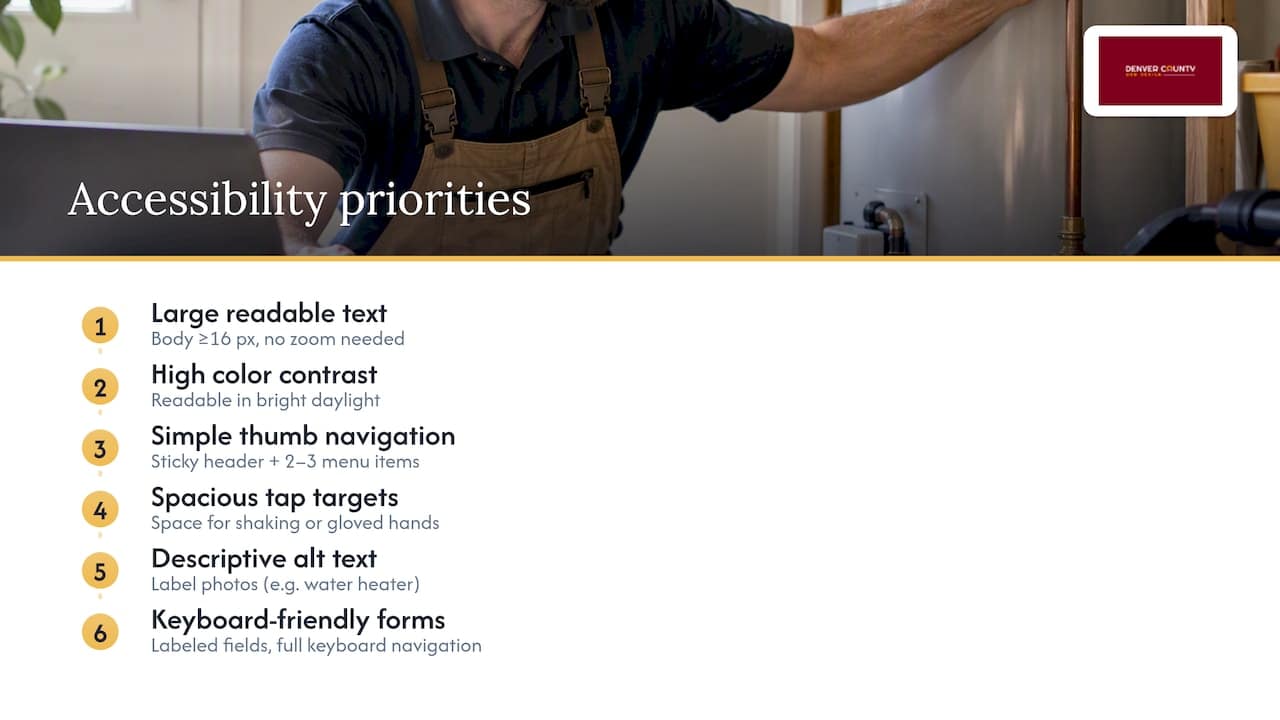
Use a font size large enough to read without zooming, at least 16 pixels for body text, and keep contrast high between text and background so a page glanced at in bright daylight still reads clearly. Navigation should be simple enough to use with one thumb: a sticky header with the phone number and a two-or-three-item menu beats a hidden hamburger menu buried under extra taps. Buttons need enough space around them that a shaking or gloved hand does not miss the tap target.
Alt text on images matters too, both for screen reader users and for search engines trying to understand your photos. Label a photo of a water heater installation as exactly that, not as a generic filename. Forms should allow keyboard navigation and clearly labeled fields, since a portion of your visitors will rely on assistive technology to fill them out at all. None of this requires a redesign. Most of it is a font size, a color contrast check, and a menu simplification away.
9. Integration with booking and payment systems popular in plumbing services
Once a visitor decides to call or book, the tools behind your site decide how smooth that next step feels. Booking widgets that sync with your team’s calendar in real time cut down on the back-and-forth phone tag that loses jobs to a faster-responding competitor. A form that lets a customer pick a service type and a rough time window, then confirms instantly, converts better than a plain “contact us” box that promises a callback.
On the payment side, offering online invoice payment through a secure processor saves your office staff time chasing checks and gives customers a faster way to settle a bill after a job. Many plumbing businesses connect their scheduling software directly to their website’s booking form, so a job request lands straight into the same system your dispatcher already uses, instead of a separate inbox that gets checked once a day.
The specific tools matter less than the principle: every extra step between “I want to book this” and “it’s booked” is a chance for the customer to call your competitor instead. Keep the path from click to confirmation as short as your software allows.
10. Examples of branding and visual identity elements effective for plumbing websites
Strong plumbing brands tend to lean on a small, consistent color palette, often blue or red paired with a neutral, because those colors read as clean and urgent without feeling cheap. A recognizable logo placed consistently in the header, paired with a simple, memorable tagline naming your city or specialty, does more for recall than an elaborate design ever will.
Photography choices matter more than most plumbers expect. Real photos of your trucks, your team, and completed jobs build more trust than stock imagery of a generic wrench or a smiling actor in a hard hat. If your trucks are wrapped in your brand colors, showing that wrap on your homepage ties your online presence to what customers see driving through their neighborhood.
Typography should stay simple: one readable font for headings, one for body text, both legible at a glance on a small screen. A visual identity that stays consistent across your website, your truck wraps, and your Google Business Profile photos makes your business instantly recognizable, which matters more for a plumber than for most other kinds of business, since half your customers meet your brand on a truck before they ever open your website.

11. Author’s practical principle for redesigning a plumbing website
If you build only one thing well, build the phone-first path. Every plumbing customer with an emergency is judging, in seconds, whether calling you solves their problem. Everything else on the page is secondary to that first tap.
— Luis
12. Denver County Web Design: services for plumbers
If you would rather skip the trial and error, Denver County Web Design builds custom WordPress sites for plumbers with the trust signals and booking flow covered above already built in, plus local SEO to help you get found. The Solo Operator and The Lead Machine packages cover everything from a single-page build to a full lead-generation site, and clients own the site outright with no monthly fee. If your business already has strong web skills in-house, a DIY build from the templates above can work. If you would rather have it done right the first time, request a quote through our WordPress web design page.

Sources
- Statista — Maps vs Search views distribution per GBP listing
- Roto-Rooter® | Plumbing, Drains & Water Cleanup
- Thumbtack — Find local pros & reviews
- Dribbble — plumbing service website tag
- Clutch — top website features people value
FAQ
How much does a plumbing website cost?
Costs vary widely depending on the route: a template or site builder runs cheapest, while a custom WordPress build costs more upfront but offers more control over SEO and lead generation. Denver County Web Design’s WordPress packages start at 1000 USD as a one-time fee with no ongoing monthly charge, detailed on its main services page.
What is the 135 rule in plumbing?
There is no widely recognized industry standard called a numeric “rule” in plumbing. If you encountered this term in a specific context, it likely refers to a local code provision or a company-specific pricing formula rather than a universal rule.
How do I advertise for plumbing services?
Most plumbers combine a strong Google Business Profile, local SEO content on their website, and paid search ads targeting emergency and service keywords. Paid ads can get you calls fast while your organic rankings build, and our guide to Google Ads for plumbers covers how to set that up.
What are some good apps for plumbing businesses?
Plumbing businesses commonly use scheduling and dispatch software to manage jobs, along with invoicing tools that accept online payment. The right combination depends on your team size and whether you need the tool to sync directly with your website’s booking form.
What should I check before choosing a plumbing website platform?
Look at whether the platform supports schema markup, fast mobile load times, and full ownership of your content without a required monthly fee. A platform that locks your site behind a subscription can cost more over several years than a one-time custom build.



