TL;DR:
- A properly structured plumbing Google Ads campaign uses Local Services Ads, service-specific search campaigns, and call tracking tied to booked jobs to reliably generate qualified leads. Implementing segmented campaigns, accurate call tracking, and timely optimization can significantly improve conversion rates and reduce costs. Most campaigns begin showing results within a week, with meaningful data for optimization emerging after 30 to 60 days.
A correctly structured Google Ads portfolio — Local Services Ads combined with service-segmented Search campaigns and call tracking tied to your dispatch system — will reliably generate qualified plumbing leads. The setup is not complicated, but the details matter. Here is what to run first.
Your three highest-impact components:
- Local Services Ads (LSA): Pay per lead, not per click. LSAs appear above standard search ads and carry the Google Guaranteed badge, which builds instant trust with homeowners.
- Emergency Search campaign (24/7, call-first): Emergency keywords convert faster than any other service type. Run this campaign around the clock with call-only ads or call extensions and point every click to a phone-first landing page.
- Call tracking + CRM integration: Raw clicks tell you almost nothing. Call tracking and CRM feedback tied to booked jobs is the only way to know which keywords are actually making you money.
Three things to do today:
- Check your LSA eligibility at ads.google.com/local-services-ads and start the background check and license verification process.
- Deploy an emergency call-only or call-first Search campaign targeting terms like “emergency plumber near me” and “burst pipe repair,” running 24/7 with your highest daily budget.
- Set up dynamic number insertion (DNI) on your emergency landing page and connect call outcomes to Google Ads as offline conversions.
Table of Contents
- Which Google ad products should plumbers run?
- How should you structure your plumbing ad campaigns?
- What keywords and negative keywords do plumbing ads need?
- How should you set budgets and bidding strategies?
- What ad copy and landing pages actually drive booked jobs?
- How do you track calls and connect them to booked jobs?
- How do Local Services Ads work for plumbers?
- What does a 30/60/90-day launch plan look like?
- How long does it take to see results, and what does it cost?
- What results can a structured campaign actually produce?
- Key Takeaways
- Denvercountywebdesign helps plumbers turn ad spend into booked jobs
- FAQ
Which Google ad products should plumbers run?
Three Google ad products matter for plumbing businesses: Local Services Ads, Google Search Ads, and Performance Max. Each one fits a different situation, and knowing when to use each saves real money.
Google Local Services Ads (LSA) sit at the very top of the search results page, above everything else. Google charges you per lead, not per click, and verified businesses earn the Google Guaranteed or Google Screened badge. For plumbers in eligible markets, LSA often delivers a lower cost per lead than standard Search because you only pay when a homeowner actually contacts you.
Google Search Ads are the traditional pay-per-click format. You bid on keywords, write your own ad copy, and control exactly which searches trigger your ads. Search gives you more granular control over budgets, bids, and targeting than LSA does, which makes it the right tool for segmenting by service type (emergency, water heater, drain cleaning) and for markets where LSA is not yet available.
Performance Max (PMax) is Google’s fully automated campaign type that runs across Search, Display, YouTube, Gmail, and Maps from a single campaign. For plumbers, PMax works best as a remarketing layer once your Search campaigns are generating data, or as a way to recapture website visitors who did not call. It is not the right starting point because it gives you limited control and requires significant conversion data to optimize well.
| Ad Product | Pricing Model | Best Use Case | Control Level |
|---|---|---|---|
| Local Services Ads | Pay per lead | High-intent local searches, verified businesses | Low (Google manages placement) |
| Google Search Ads | Pay per click | All service types, full segmentation | High |
| Performance Max | Pay per click | Remarketing, scaling after Search data exists | Very low |
When to prioritize which:
- Start with LSA if you are eligible. The pay-per-lead model and top placement make it the most cost-efficient first channel.
- Run Search Ads alongside LSA from day one. LSA does not let you control which specific services get budget; Search campaigns fill that gap.
- Add PMax only after 60–90 days of Search data, and treat it as a remarketing supplement rather than a primary lead source.
How should you structure your plumbing ad campaigns?
The single most damaging structural mistake in plumbing Google Ads is running one broad “plumber near me” campaign. When all your services share one campaign, your ad copy cannot match the searcher’s specific need, your Quality Score suffers, and your budget gets eaten by low-value clicks. Separate campaigns for each service type fix all three problems at once.
Recommended account structure:
- Campaign 1: Emergency Plumbing — Ad groups: burst pipe, flooding, no hot water (emergency), gas leak. Run 24/7, highest budget allocation, call-only or call-first ads.
- Campaign 2: Water Heater Repair & Replacement — Ad groups: water heater repair, water heater replacement, tankless water heater installation. Run during business hours with financing messaging.
- Campaign 3: Drain Cleaning & Sewer — Ad groups: drain cleaning, clogged drain, sewer line repair, hydro jetting. Moderate budget, availability messaging.
- Campaign 4: Leak Detection — Ad groups: pipe leak detection, slab leak, water leak repair. Emphasize diagnostic expertise.
- Campaign 5: Commercial Plumbing — Ad groups: commercial plumber, office plumbing, restaurant plumbing. Separate from residential to control bids and messaging.
- Campaign 6: Brand Terms — Your business name and variations. Low cost, high conversion, protects your brand from competitors.
Segmentation do’s and don’ts:
- Do write ad copy that mirrors the specific service in each campaign. A homeowner searching “water heater replacement” should see an ad about water heaters, not a generic “call a plumber” message.
- Do send each campaign to a dedicated service landing page matched to that ad. Generic homepages convert at a fraction of the rate.
- Don’t combine emergency and planned-service keywords in the same ad group. Their conversion paths, bid levels, and messaging are completely different.
- Don’t use the same daily budget across all campaigns. Emergency campaigns deserve the largest share because those callers book fastest.
Pro Tip: Run your emergency campaign with call-only ads during off-hours (evenings, weekends, holidays). Set a bid adjustment of +20–30% for those time slots. A homeowner with a burst pipe at 11 PM is worth far more than a daytime “drain cleaning near me” click, and your competitors are less likely to be bidding aggressively at that hour.
What keywords and negative keywords do plumbing ads need?
Your keyword strategy determines whether your budget reaches homeowners ready to book or wastes spend on job seekers, DIYers, and parts shoppers. Build keyword groups around four service intents.
Seed keyword groups:
- Emergency: “emergency plumber near me,” “burst pipe repair,” “24 hour plumber,” “flooding plumber,” “gas leak plumber”
- Installation/replacement: “water heater replacement,” “tankless water heater installation,” “sump pump installation,” “toilet replacement”
- Maintenance/repair: “drain cleaning service,” “clogged drain repair,” “sewer line cleaning,” “leak detection service”
- Commercial: “commercial plumber,” “commercial drain cleaning,” “restaurant plumbing service”
Use phrase match and exact match for high-value terms like “emergency plumber near me” and “water heater replacement.” These match types keep your spend focused on searches that closely match your service. Test broad match only after you have at least 30 days of conversion data and a solid negative keyword list in place, because broad match will find unexpected queries — some useful, many not.
Starter negative keyword list:
- Job/career intent: “plumber salary,” “plumber jobs,” “plumber apprenticeship,” “plumber training,” “plumber certification”
- DIY intent: “how to fix,” “DIY plumbing,” “plumbing tips,” “how to unclog,” “plumbing tutorial”
- Parts-only: “plumbing parts,” “pipe fittings,” “plumbing supply,” “faucet parts”
- Free/cheap: “free plumber,” “cheap plumbing parts,” “plumbing discount code”
- Supplier/wholesale: “wholesale plumbing,” “plumbing distributor,” “plumbing manufacturer”
Review your Search Terms report weekly and add irrelevant queries as negatives. This single habit prevents more budget waste than almost any other optimization task.
How should you set budgets and bidding strategies?
Budget decisions in plumbing PPC come down to your market size and which services you want to prioritize. In competitive urban markets, meaningful results typically require $2,000–$5,000+ per month; smaller markets can be effective at $1,000–$2,500 monthly. Budgets below those thresholds often fail to collect enough data for Google’s algorithms to optimize effectively.

| Monthly Budget | Market Type | Recommended Allocation |
|---|---|---|
| Moderate budgets | Small/suburban market | Emphasis on emergency and service campaigns |
| Higher budgets | Mid-size metro | Balanced allocation across service lines and branding |
| Larger budgets | Large urban market | Broader allocation including brand and advanced campaigns |
Bidding strategy recommendations:
- Start with Manual CPC or Maximize Clicks bidding strategies initially while gathering conversion data. This approach maintains control before algorithms have sufficient data.
- Switch to Maximize Conversions with a Target CPA cap once you have adequate conversions per campaign. Set CPA caps based on your average job value to maintain profitability.
- Use value-based bidding (Target ROAS) once you are importing job values as offline conversions. This tells Google to prioritize the keywords that produce your highest-value jobs, not just the most calls.
For CPA targets, work backward from job value. If your average emergency call books at $450 and you close 60% of calls, you can afford roughly $80–$120 per call before profit erodes. Set your Target CPA at the lower end until the campaign proves itself.
What ad copy and landing pages actually drive booked jobs?
Ad copy and landing pages are where clicks become calls and calls become booked jobs. The gap between a mediocre and a well-written plumbing ad is often 3–5 percentage points in conversion rate.
Ad copy templates:
Call-only ad (emergency):
- Headline 1: 24/7 Emergency Plumber — Call Now
- Headline 2: Licensed & Insured — Fast Response
- Headline 3: [City] Plumbing — Same-Day Service
- Description: Burst pipe? Flooding? We answer every call. Licensed plumbers on call 24/7 in [City].
Search ad (water heater replacement):
- Headline 1: Water Heater Replacement — Same Day
- Headline 2: 0% Financing Available — Free Estimate
- Headline 3: Licensed Plumbers in [City]
- Description: New water heater installed today. Tankless or traditional. Free in-home estimate. Call [phone].
Recommended ad extensions:
- Call extensions: Non-negotiable. Show your phone number directly in the ad so mobile users can tap to call without visiting your site.
- Location extensions: Link your Google Business Profile so your address and map pin appear with the ad.
- Callout extensions: “Licensed & Insured,” “Same-Day Service,” “24/7 Emergency Line,” “Free Estimates”
- Structured snippets: List your services: “Water Heater, Drain Cleaning, Leak Detection, Sewer Repair”
- Sitelink extensions: Link to specific service pages (Emergency Plumbing, Water Heater, Drain Cleaning) so searchers can navigate directly.
Landing page checklist:
- Phone number in large font at the top of the page, clickable on mobile.
- Single, clear call to action: “Call Now” or “Request Service.” No competing links.
- Service-specific headline that matches the ad (water heater page for water heater ads).
- Trust signals: license number, years in business, Google review rating, BBB badge.
- Short form (name, phone, service needed) as a secondary conversion option.
- Financing information for high-ticket services like water heater replacement or repipes.
- Page load time under 3 seconds on mobile. Most emergency searches happen on a phone.
For inspiration on plumber homepage patterns that convert, the layout principles that work for homepages apply directly to service landing pages: phone prominence, social proof above the fold, and a single dominant CTA.
How do you track calls and connect them to booked jobs?
Clicks and calls are inputs. Booked jobs are the output that matters. Without connecting paid traffic to your dispatch system, you are flying blind on which keywords actually make you money.
Call-tracking setup checklist:
- Install dynamic number insertion (DNI) on every landing page. DNI swaps your phone number based on the traffic source, so Google Ads calls get a unique tracking number separate from organic or direct calls.
- Set a call duration threshold of 60–90 seconds as a minimum for a call to count as a conversion. Calls under 60 seconds are usually wrong numbers or hang-ups.
- Enable call recording where legally permitted in your state (check your state’s consent laws). Recordings let you audit call quality and identify whether your team is converting calls to bookings.
- Assign unique tracking numbers per campaign or service type so you can see which campaigns drive the most booked calls.
Offline conversion import:
Once a call books a job in your CRM or dispatch software (ServiceTitan, Jobber, Housecall Pro), import that outcome back into Google Ads as an offline conversion. This tells Google’s algorithm which keywords produced actual revenue, not just calls. When you also import job value, you unlock value-based bidding.

Pro Tip: Here is the full event-to-conversion flow: UTM parameters tag every click with campaign, ad group, and keyword data. DNI captures the phone number the caller dialed and maps it to that UTM. Your CRM records the booking and job value against that call. A weekly or automated export sends those booked-job conversions back to Google Ads as offline conversions. The result: you can see exactly which keywords produced booked jobs and at what job value, giving you the data to cut waste and scale what works.
How do Local Services Ads work for plumbers?
Local Services Ads operate on a fundamentally different model than Search Ads, and for plumbers in eligible markets, they are often the most cost-efficient lead source available. LSAs appear at the very top of Google results, above paid Search ads and organic listings, and Google charges per lead rather than per click.
LSA verification steps:
- Go to ads.google.com/local-services-ads and check that plumbing is listed as an eligible service category in your ZIP code.
- Submit your business license and proof of insurance. Google requires these to verify you are a legitimate, licensed contractor.
- Complete the background check process for yourself and any employees who will be listed.
- Set your service area by ZIP code or radius. Be specific — a too-wide service area dilutes your lead quality.
- Build your LSA profile: add photos, list every service you offer, set your business hours, and connect your Google Business Profile.
| Feature | Local Services Ads | Google Search Ads |
|---|---|---|
| Pricing model | Pay per lead | Pay per click |
| Placement | Above all Search ads | Below LSA, top of page |
| Google Guaranteed badge | Yes (after verification) | No |
| Ad copy control | Limited (profile-based) | Full control |
| Keyword targeting | Google manages | You choose keywords |
| Best for | High-intent local searches | All service types, full control |
LSA optimization tips:
- Respond to every lead within minutes. Google tracks response time and rewards fast responders with more lead volume.
- Actively collect Google reviews and ask satisfied customers to mention the specific service they used. Review count and rating directly affect your LSA ranking.
- Dispute invalid leads (wrong service area, wrong service type, spam) through the LSA dashboard. Google will credit you for leads that do not match your profile.
- Keep your service list accurate. If you do not offer commercial plumbing, remove it so you are not charged for leads you cannot convert.
Your Google Business Profile feeds directly into your LSA ranking. Accurate categories, current hours, and a strong review count all improve your position.
What does a 30/60/90-day launch plan look like?
A structured launch plan prevents the two most common mistakes: making changes too fast (before you have data) and waiting too long to optimize (letting waste accumulate).
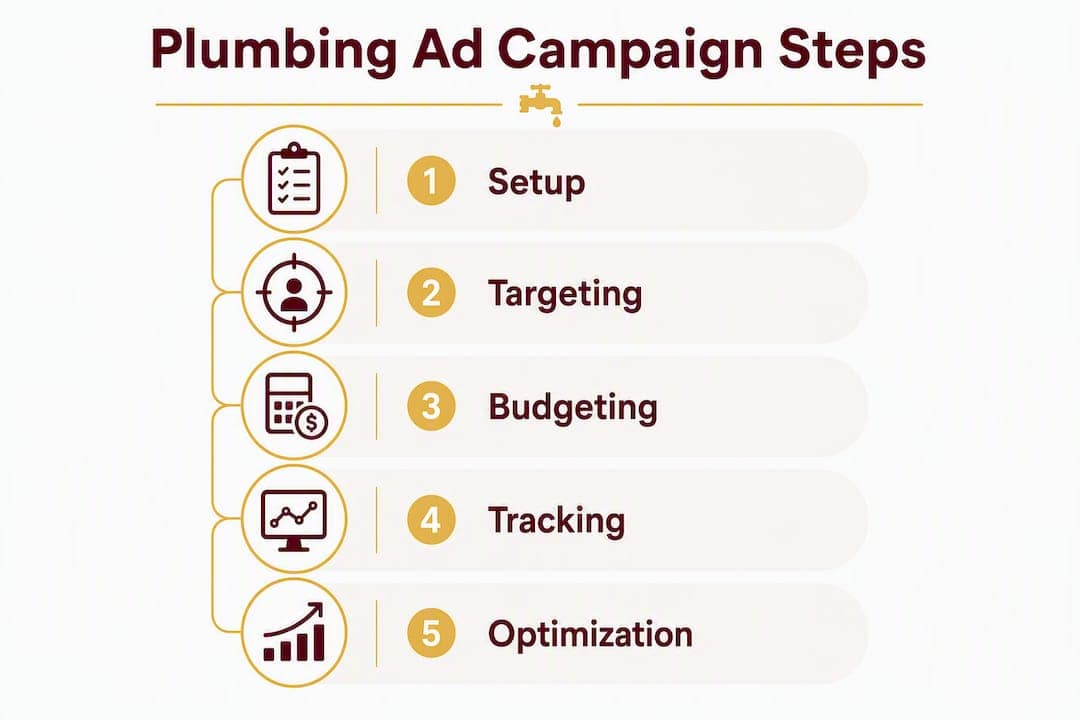
Day 0–7: Setup
- Build campaign structure (emergency, water heater, drain/sewer, leak detection, brand).
- Write ad copy for each campaign with relevant extensions.
- Build or configure service-specific landing pages with DNI installed.
- Set up call conversion actions in Google Ads and connect your CRM for offline conversion import.
- Submit LSA verification documents and set up your LSA profile.
- Set initial bids using Manual CPC or Maximize Clicks.
Day 8–30: Data collection
- Monitor impressions, click-through rate, and call volume daily.
- Review the Search Terms report every 3–4 days and add negatives aggressively.
- Do not change bids or budgets significantly during this phase. Let the data accumulate.
- Track which campaigns are generating calls and whether those calls are booking.
Day 31–90: Optimization and scale
- Switch high-converting campaigns to Maximize Conversions with a Target CPA once you have 20+ conversions.
- Pause or restructure ad groups with high spend and zero conversions.
- A/B test landing page headlines and CTAs. Change one element at a time.
- Increase budget on campaigns hitting CPA targets; reduce on those that are not.
- Run a monthly call-quality audit: listen to recordings and identify where calls are dropping off.
KPI checklist by phase:
- Days 1–30: Impressions, click-through rate (CTR), call volume, cost per call
- Days 31–60: Conversion rate, cost per booked job, Quality Score by ad group
- Days 61–90: Cost per booked job trend, job value per campaign, LSA lead volume and cost per lead
How long does it take to see results, and what does it cost?
Plumbing PPC campaigns typically start generating calls within the first week, but meaningful optimization data takes 30–60 days to accumulate. Expect the first 30 days to be your most expensive on a cost-per-lead basis.
| Keyword Type | Avg. CPC Range | Avg. Cost Per Lead | Notes |
|---|---|---|---|
| Emergency plumbing | $15–$30 | $80–$150 | Highest CPC, fastest conversion |
| Water heater repair/replacement | $10–$20 | $60–$120 | High job value justifies CPA |
| Drain cleaning | $6 | $35–$75 | Lower CPC, higher competition in some markets |
| Sewer line repair | $12 | — | High job value, lower search volume |
| General/brand terms | $3–$8 | $20 | Lowest CPC, highest intent |
CPC and CPA figures vary by market size. Urban markets like Denver, Chicago, or Los Angeles run toward the top of these ranges; smaller suburban or rural markets often land at the lower end.
Budget brackets and expected outcomes:
- $1,000–$2,500/month: 15–35 leads, cost per booked job $120–$200. Viable in smaller markets; tight in major metros.
- $2,500–$5,000/month: 35–75 leads, cost per booked job $80–$150. The sweet spot for most mid-size plumbing businesses.
- $5,000–$10,000+/month: 75–150+ leads, cost per booked job $60–$120 as optimization matures.
Timeline expectations:
A well-optimized plumbing Search campaign targets a 10–20% conversion rate; early-stage campaigns often run at 3–6% and improve as negative keywords and dedicated landing pages are refined. Expect your cost per booked job to drop noticeably between weeks 6 and 10 as Google’s algorithm learns your conversion patterns and your negative keyword list matures.
The 90-day benchmark: Most plumbing campaigns reach a stable, optimizable state by day 60–90. Before that, you are paying for data. After that, you are paying for leads.
What results can a structured campaign actually produce?
Here is an anonymized example from a residential plumbing business Denvercountywebdesign worked with in the Denver metro area. The business had been running a single broad campaign with no service segmentation, no call tracking, and a homepage as the landing page for all ads.
The process:
- Discovery (Week 1): Audited the existing account, identified that 40% of spend was going to job-seeker and DIY queries. Mapped service revenue by type to prioritize campaign budgets.
- Campaign rebuild (Week 1–2): Restructured into five segmented campaigns (emergency, water heater, drain/sewer, leak detection, brand). Built service-specific landing pages for each campaign with DNI installed.
- LSA onboarding (Week 2–3): Submitted verification documents, built out the LSA profile, and connected the Google Business Profile.
- Call tracking + CRM integration (Week 2): Set up offline conversion import from their dispatch software so booked jobs fed back into Google Ads weekly.
- 30/60/90 optimization: Ran weekly Search Terms reviews, added 60+ negatives in the first 30 days, switched to Target CPA bidding at day 45, and A/B tested landing page headlines at day 60.
Results at 90 days:
- Qualified leads increased by 67% compared to the prior 90-day period on the same budget.
- Conversion rate improved from 4.2% to 11.8% after landing page and negative keyword work.
- Cost per booked job dropped by 38% after refining the campaign structure and optimizing bidding.
“The structural changes — segmentation, dedicated landing pages, and offline conversion import — did more in 90 days than the previous 12 months of broad-match spending.” — Denvercountywebdesign campaign team
These results reflect a specific account and market. Your outcomes will vary based on budget, competition, and how quickly verification and tracking are set up. This is a paid service offering by Denvercountywebdesign; results are not guaranteed but are representative of what structured campaign management can achieve.
Key Takeaways
A combined LSA and service-segmented Search campaign with call tracking tied to booked jobs is the most reliable Google Ads setup for plumbing businesses, and it outperforms any single broad campaign by a significant margin.
| Point | Details |
|---|---|
| Segment by service intent | Separate campaigns for emergency, water heater, drain/sewer, and brand outperform one broad campaign on Quality Score and conversion rate. |
| LSA is your top-of-funnel anchor | Pay-per-lead pricing and Google Guaranteed placement make LSA the most cost-efficient starting channel for eligible plumbers. |
| Call tracking is non-negotiable | Dynamic number insertion plus offline conversion import from your CRM is the only way to measure cost per booked job accurately. |
| Budget realistically | Urban markets need $2,000–$5,000+ monthly to gather enough data; smaller markets can start at $1,000–$2,500. |
| Denvercountywebdesign | Handles campaign setup, landing page builds, call tracking, and CRM integration for plumbing businesses in Colorado. |
The real reason most plumbing ad accounts underperform
Most plumbing Google Ads accounts fail not because the platform does not work, but because the account structure was never built to match how plumbing customers actually search. An emergency call at midnight and a planned water heater replacement are completely different buying moments, and treating them the same way in one campaign is what burns budget without producing booked jobs.
What I find most overlooked is the offline conversion loop. Plenty of plumbers set up Google Ads and track calls. Very few import booked job outcomes back into the platform. That missing step means Google’s algorithm is optimizing for calls, not for the jobs that actually pay. Once you close that loop, the algorithm starts finding the searches that produce your best customers, not just your most frequent callers.
The 30/60/90 framework in this guide is not arbitrary. The first 30 days are genuinely a data-collection phase, and making aggressive changes during that window usually makes things worse. Patience in month one, combined with aggressive negative keyword management, sets up the optimization gains in months two and three. That is the consistent pattern across well-managed plumbing campaigns, and it is worth setting that expectation with any owner or manager who is watching the account daily.
Denvercountywebdesign helps plumbers turn ad spend into booked jobs
Getting the campaign structure right is one thing. Getting the landing pages built, the call tracking wired up, and the CRM integration running before your budget starts spending is where most plumbing businesses stall. Denvercountywebdesign handles all of it, specifically for home service contractors in Colorado.

The agency builds service-specific landing pages fast, sets up DNI and offline conversion tracking, manages your Google Ads campaigns and Local Services Ads onboarding, and handles Google Business Profile optimization alongside local SEO. You own your website outright with no monthly platform fees, and the builds are designed from the ground up to convert paid traffic into calls.
If you are a plumbing business in the Denver metro area and want to know exactly where your current setup is leaking budget, request a free audit and get a clear picture of what to fix first. For plumbers in Brighton, Commerce City, or Westminster, Denvercountywebdesign has local web design and ads packages built for your market. This is a paid service; reach out to discuss scope and pricing.
Useful sources and further reading
- Google Local Services Ads — Official Setup
- Google Ads Help Center
- Plumbing Company Marketing: Google Ads and Service Calls — Space Ads
- Google Ads for Plumbers: How to Maximize Lead Generation — ServiceTitan
- Plumbing PPC Costs Explained — BestPPC
- Google Ads for Contractors: Get Local Leads Fast — Denvercountywebdesign
- Google Ads Budget for Small Businesses — Denvercountywebdesign
FAQ
What is the best Google Ads setup for a plumbing business?
The most effective setup combines Local Services Ads (pay per lead) with service-segmented Search campaigns for emergency, water heater, and drain services, plus call tracking connected to your dispatch system. This structure consistently outperforms a single broad campaign on both conversion rate and cost per booked job.
How much should a plumber spend on Google Ads per month?
In competitive urban markets, plan for $2,000–$5,000+ monthly to gather enough data for optimization; smaller markets can start at $1,000–$2,500. Budgets below those thresholds often fail to produce statistically useful conversion data.
How long before Google Ads produces results for a plumbing company?
Most plumbing campaigns start generating calls within the first week, but meaningful optimization data takes 30–60 days. Expect cost per booked job to improve noticeably between weeks 6 and 10 as negative keywords and landing pages are refined.
What is the difference between Local Services Ads and Google Search Ads for plumbers?
LSAs charge per lead and appear above Search ads with a Google Guaranteed badge; Search Ads charge per click and give you full control over keywords, copy, and bids. Run both in eligible markets: LSA for top-of-page visibility and Search for service-specific targeting.
How does Denvercountywebdesign help plumbers with Google Ads?
Denvercountywebdesign sets up and manages Google Ads campaigns, builds service-specific landing pages, configures call tracking and CRM integration, and handles Local Services Ads onboarding for plumbing businesses in Colorado. Request a free audit to see where your current setup can improve.
Recommended
- Google Ads for Contractors: Get Local Leads Fast – Denver County Web Design
- Google Ads for Electricians: Local Leads in 2026 – Denver County Web Design
- HVAC Google Ads for Contractors: Local Lead Playbook – Denver County Web Design
- Google Ads Budget for Small Businesses: A Practical Guide – Denver County Web Design