Most small-to-mid-size websites typically take several weeks from kickoff to launch, with complex builds and e-commerce projects taking longer. The two biggest levers that swing that range: how fast you deliver finished content, and how tightly you control scope after the project starts. Get one decision-maker in place and your homepage content ready before kickoff, and you’ll shorten your website design timeline more than any other single move.
TL;DR:
- Most small-to-mid-size websites can be built within 4 to 16 weeks, with timelines compressed through parallel work and early stakeholder approvals.
- Content readiness and having one decision-maker approve key phases early are critical to avoiding delays, as content delays cause more schedule slips than technical issues.
- Sign-offs at each project phase—discovery, sitemap, wireframes, design, content, testing, and launch—are essential to keep the project moving and prevent costly rework later.
- Overlapping tasks like content entry and SEO setup with development can significantly shorten timelines, especially when content owners are designated from the start.
- Projects involving more complex features, such as e-commerce or custom web apps, require substantially longer, often several months, due to increased scope and integration challenges.
Table of Contents
- What Are the Phases of a Website Project Timeline?
- How Long Does a Website Take by Type and Size?
- Why Do Website Projects Get Delayed?
- How Do You Build a Realistic Website Development Schedule?
- What Sign-Offs Keep a Website Project Moving?
- What Can You Learn From a Real Agency Workflow?
- What Actually Matters When Your Launch Date Is Fixed
- Ready to Put a Real Timeline on Your Website Project?
- Sources
- FAQ
What Are the Phases of a Website Project Timeline?
A website project timeline is really seven distinct phases stacked in sequence, though the smartest teams overlap several of them. Each phase ends with a specific deliverable and a sign-off that unlocks the next one. If you skip the sign-off, you’re building on sand.
Here’s the practical breakdown you can drop straight into your own website build timeline:
- Discovery & strategy (1 to 4 weeks): You define scope, gather stakeholders, and agree on success metrics. This is where vague requests like “make it modern” get translated into a written brief everyone can point back to later.
- Information architecture & content planning: This phase usually takes a short period to build the sitemap, choose page templates, and assign content owners. Skipping this step is the number one reason design meetings run long.
- UX & wireframing: Creating wireframes and clickable prototypes usually takes a few weeks and requires approval. Keep revision rounds capped at two; unlimited feedback loops here quietly eat weeks.
- Visual design (2 to 6 weeks): The homepage comes first, since it sets the visual and content standard the rest of the site follows, which is why approving it fast matters so much. Inner pages move quicker once that template is locked.
- Development & integrations: This phase involves CMS setup, plugin configuration, and API connections and generally takes several weeks. Third-party integrations (booking software, payment processors, CRM sync) are where hidden timeline risk lives.
- Content entry & on-page SEO: This runs parallel to development when content is ready, or adds 1 to 4 weeks when it isn’t. For home service businesses, this is also where you build out SEO-ready service pages that actually rank.
- Testing & QA/UAT: This phase includes functional testing, cross-browser checks, accessibility reviews, and performance testing and typically takes a short period before launch.
- Launch & immediate post-launch fixes: Launching is quick, with a few days following to fix minor issues observed under real traffic.
Most professional builds land between 4 and 16 weeks total, and the reason the real total often beats the sum of these ranges is overlap. Content entry doesn’t have to wait for development to finish. Wireframes for inner pages can start while the homepage design is still in revision. Parallelizing disciplines whenever dependencies allow is the single most reliable way to compress a schedule without cutting corners.
How Long Does a Website Take by Type and Size?
Your site’s category tells you more about realistic timing than any generic average could. Here’s how the bands break down:
- Landing page: Generally takes a short time due to minimal dependencies and straightforward approvals.
- Simple brochure site (5 to 10 pages): Typically requires several weeks, featuring straightforward information architecture and limited custom design.
- Small business site (8 to 15 pages, CMS-based): 4 to 10 weeks. This is the sweet spot for most contractor and home-service sites.
- Mid-size site (15 to 50 pages, light integrations): 10 to 16 weeks. Booking widgets, review feeds, and multi-location pages start adding real time.
- E-commerce: Timelines vary widely depending on catalog size and integration complexity, often requiring a substantial development period.
- Custom web app or platform: Complex projects involving custom logic and unique user flows generally take several months or longer.
A small business site sitting at the low end of its band almost always has one thing in common: the client had content ready on day one and a single point of contact approving decisions. Push that same project into the 8 to 10 week range, and you’ll usually find three or four stakeholders weighing in on every homepage draft. The band you land in has less to do with your industry and more to do with how disciplined your approval process is.
Why Do Website Projects Get Delayed?
Content readiness causes more delays than any technical issue you’ll encounter. Teams can build a flawless site and still sit idle for three weeks waiting on a client to send final copy and photos. That single bottleneck is identified consistently across the industry as the leading cause of schedule slip, ahead of coding problems, design revisions, or even integration bugs.
Here’s what actually derails a timeline, and the fix for each:
- Unprepared content. Set a firm content deadline at kickoff, tied to a named owner, not “the client.” No content by the deadline means the schedule shifts, full stop.
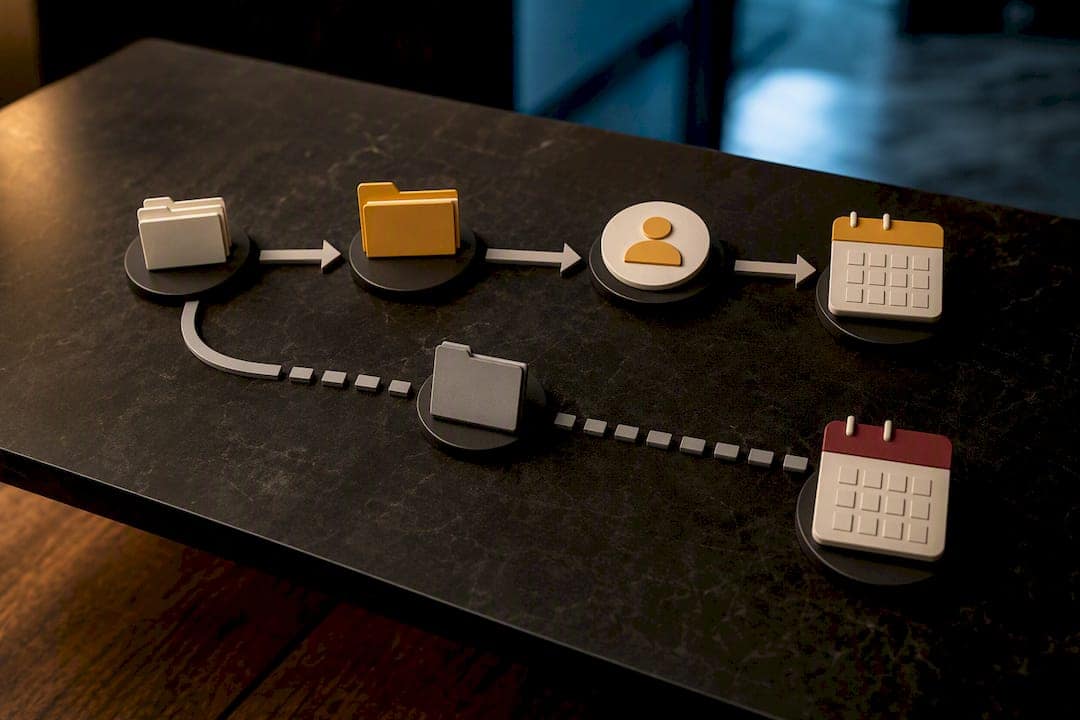
- Slow stakeholder approvals. Require one designated approver per phase and a 48 to 72 hour review window. Committees don’t approve homepages. People do.
- Scope creep. Any new page, feature, or “quick change” after sign-off goes through a written change request that states the time and cost impact before anyone starts work.
- Unknown third-party integrations. Add a discovery task in week one for every external tool (payment gateway, CRM, booking system) and build contingency time around it, since you won’t know what you don’t know until you look.
Pro Tip: Build your content deadline into the contract, not just the project plan. A deadline that only lives in an internal Gantt chart gets ignored. One that’s tied to the client’s own launch date gets taken seriously.
A documented client onboarding checklist at kickoff solves half of these problems before they start, because it forces the content-owner conversation on day one instead of week six.
How Do You Build a Realistic Website Development Schedule?
Work backward from your launch date, not forward from kickoff. List every milestone that has to happen before go-live, then assign realistic durations to each.
- List the milestones first. Discovery, IA sign-off, wireframe approval, design approval, development complete, QA complete, launch. Everything else is a sub-task underneath one of these seven.
- Estimate with a three-point method for anything uncertain. For tasks where you genuinely don’t know how long they’ll take, use optimistic, most likely, and pessimistic estimates (PERT) rather than guessing a single number.
- Parallelize wherever dependencies allow. Content entry, SEO groundwork, and visual design can often run at the same time once the sitemap is locked. Document which tasks genuinely depend on another finishing first, and let everything else run concurrently.
- Add contingency, don’t hope for the best. Well-defined projects need 20 to 30% buffer; projects with unclear requirements need 30 to 50%. A conservative rule of thumb is to start planning at 2 to 3 times your estimated build time before a hard launch date.
- Publish the timeline where everyone can see it. A shared Gantt chart in a tool like TeamGantt, or even a well-built Google Sheets timeline template, keeps every stakeholder accountable to the same dates.
This mirrors the seven-step process most experienced project managers follow: stakeholder meeting, creative brief, task breakdown, estimation, resourcing, sequencing, and sharing the final timeline. Skip any one of those steps and you’re planning by memory instead of by process.
What Sign-Offs Keep a Website Project Moving?
Every phase needs a formal gate. No sign-off, no progress. Here’s the minimum checklist that should sit inside every website launch timeline:
- Discovery complete (project lead approves) → unlocks IA and wireframes
- Sitemap/IA approved (project lead) → unlocks wireframe production
- Wireframes approved (project lead + stakeholders) → unlocks visual design
- Visual design approved (project lead) → unlocks development
- Content delivered (client content lead) → unlocks content entry and final build
- UAT sign-off (project lead) → unlocks launch prep
- Launch approval (project lead or executive sponsor) → unlocks go-live
Each gate exists because skipping it means rework later, usually at the most expensive point in the schedule: after development is already underway.
What Can You Learn From a Real Agency Workflow?
Some agencies build specifically for contractors and home-service businesses, which means the workflow assumes clients are busy running jobs, not writing copy. SEO setup, Google Business Profile work, and site build often happen as parallel tracks rather than sequential ones, and clients typically own their finished site outright with no recurring fees attached.
That’s a post-launch performance result, not a promise about how fast your build will finish, but it shows what a focused process can deliver once the site goes live.
Three takeaways any team can borrow:
- Specialize the team around one type of client so decisions move faster.
- Run SEO and development in parallel instead of treating SEO as an afterthought.
- Put content ownership on one person, not a committee, from day one.
What Actually Matters When Your Launch Date Is Fixed
When a client tells me the launch date can’t move, I stop optimizing for perfect and start optimizing for unblocked. That means locking homepage content, business credentials, and a single decision-maker before anything else happens, because those three things gate almost every other task on the schedule.
Everything that isn’t essential to launch gets written down as a phase-two backlog item, not quietly dropped and not silently added mid-project. I’d rather launch a clean, working site on time and add a booking widget in week three than blow the date chasing a feature nobody asked for. One short approval SLA and a timeline everyone can see, that’s most of the job.
— Luis
Ready to Put a Real Timeline on Your Website Project?
Most agencies quote a design timeline, then bolt SEO on as a separate, slower phase months later. Denver County Web Design runs both tracks at once, which is the main reason contractor and home-service clients in Colorado get a fully optimized, lead-ready site without waiting for a second project to catch their site up to Google.

That parallel approach, specialized page templates for home-service categories, and a locked content deadline at kickoff are what keep these builds inside the shorter end of the ranges covered above. You also own the finished site outright, with no monthly fee holding your pages hostage. If you want a straight answer on how long your specific project would take, start with a free SEO audit or look at the Denver contractor web design page to see what a finished timeline actually looks like for a business like yours.
Sources
- Website Development Timeline: Phase-by-Phase Guide
- How Long Does It Take to Build a Website? | Resourcifi
- How Long to Build a Website? (HubSpot)
FAQ
What Is a Project Timeline?
A project timeline is a scheduled sequence of phases, tasks, and milestones, each with a start date, end date, and sign-off requirement, that maps how a project moves from kickoff to completion.
What Are the 7 Stages of Web Development?
The seven stages are discovery and strategy, information architecture and content planning, UX and wireframing, visual design, development and integrations, content entry with on-page SEO, and testing and QA, followed by launch.
How Long Does a Small Business Website Take to Build?
A small business site with 8 to 15 pages on a CMS typically takes 4 to 10 weeks, with the fastest builds happening when content is ready before kickoff and one decision-maker handles approvals.
What Causes the Most Delays in a Website Build?
Unprepared content causes more delays than any other factor, followed by slow stakeholder approvals and scope creep introduced after the design phase has already been approved.